Fundora
Trade finance for businesses buying across borders
Overview
Fundora helps importers finance international purchases. A business can request funding for a supplier invoice, get an eligibility decision, upload documents, sign the offer and track disbursement and repayments, all in one web app. I designed the MVP end to end, from auth and onboarding to the full $250k request flow, repayments, risk, trade tools and account settings.
Role
Product Designer, end to end
Type
Web app · B2B fintech
Industry
Trade finance
Year
2026
Scope
UX, UI, design system, dark mode
Status
Concept MVP
The challenge
Nigerian SMEs that import goods often have to pay suppliers before they can sell. Traditional trade finance means weeks of paperwork, branch visits and opaque decisions, while FX swings eat into margins. Fundora needed to make a $250k financing request feel as clear as a checkout, and keep businesses confident about what they owe and when.
The solution
A web app that turns trade finance into a guided, transparent flow, from the first request to the final repayment.
A four-step request: purchase details, eligibility, documents, review
A live eligibility check that returns a clear limit, not a vague “pending”
An approval tracker, e-signature and disbursement straight to the supplier
Repayment schedules, autopay and a risk status businesses can act on
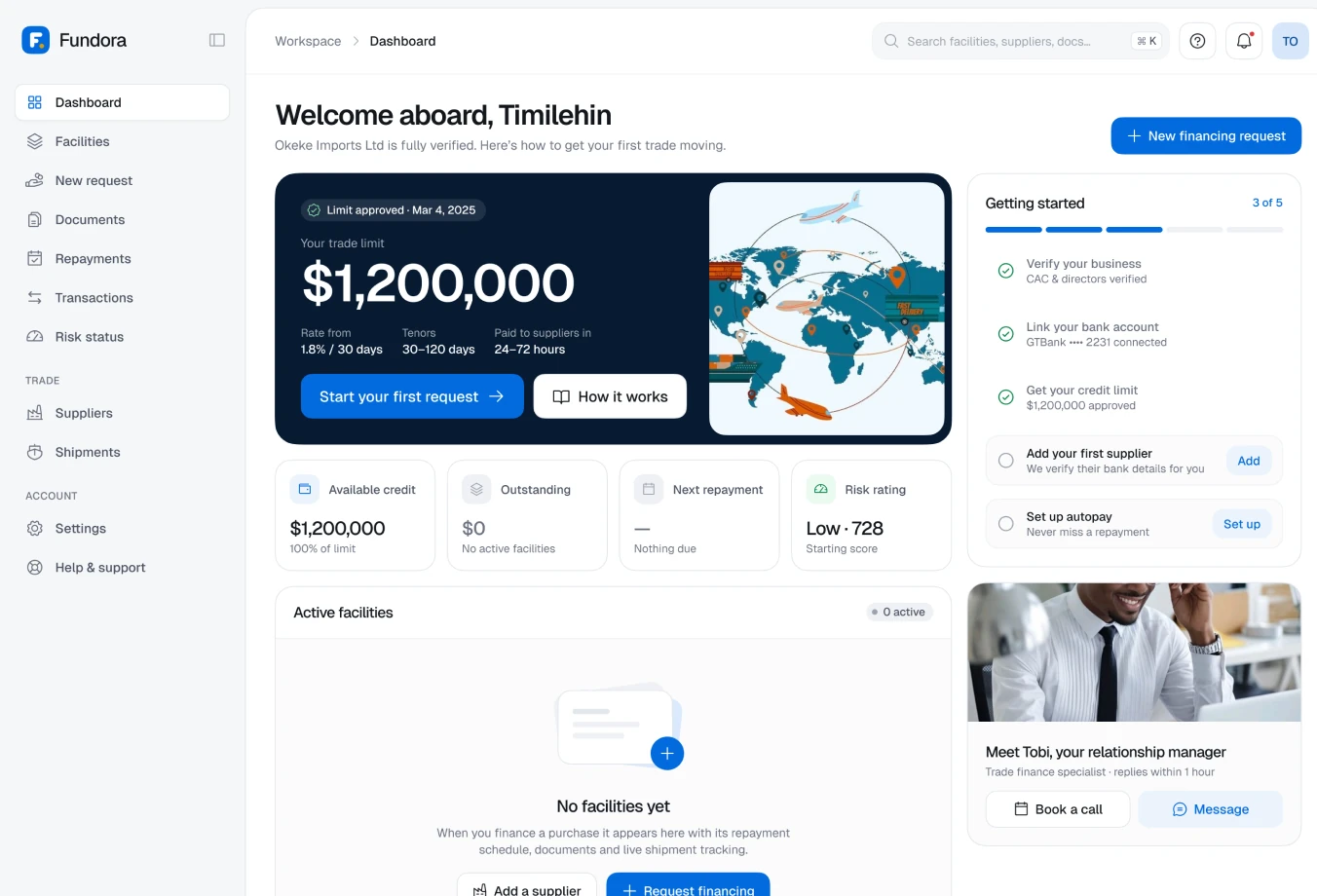
Onboarding & bank connection
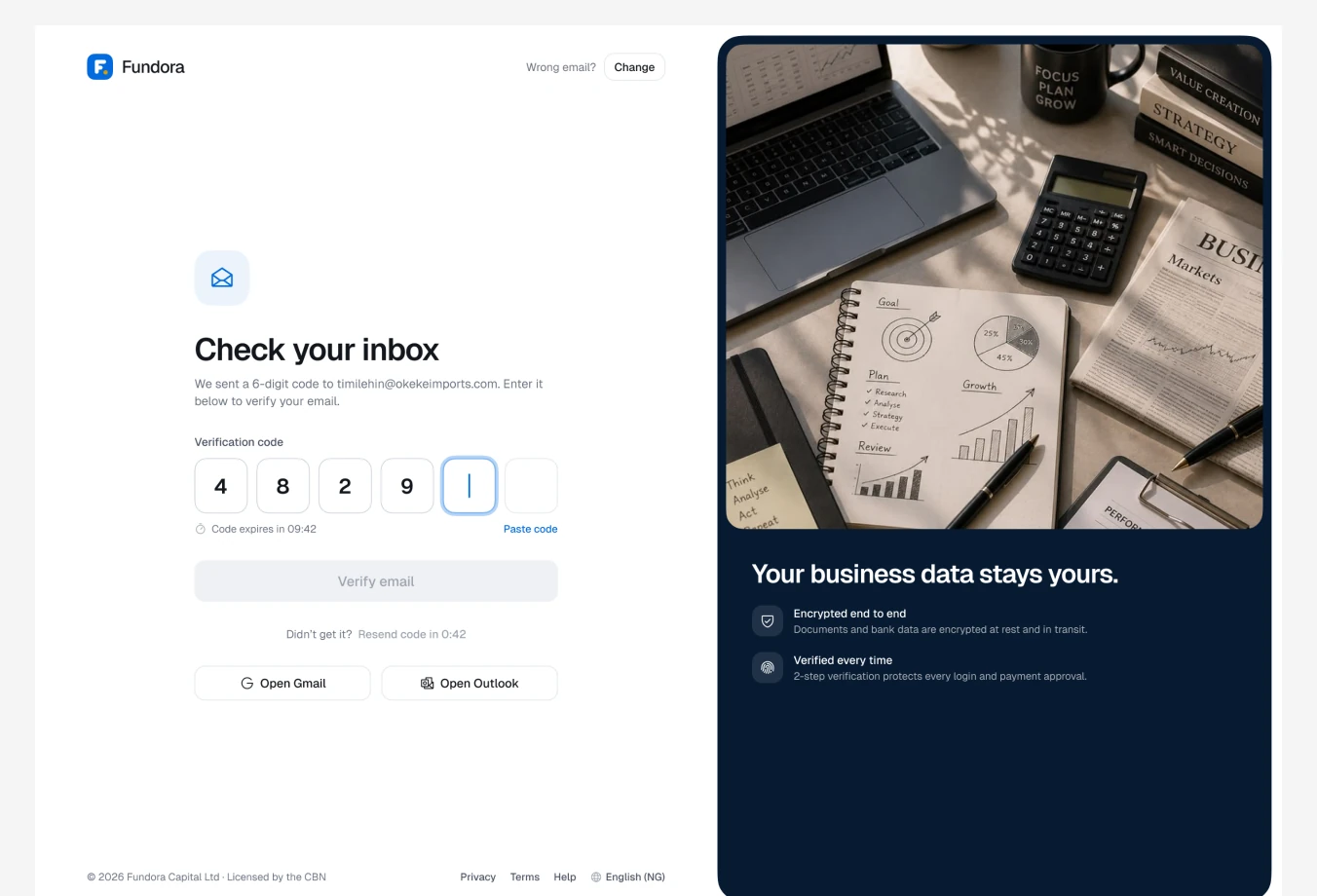
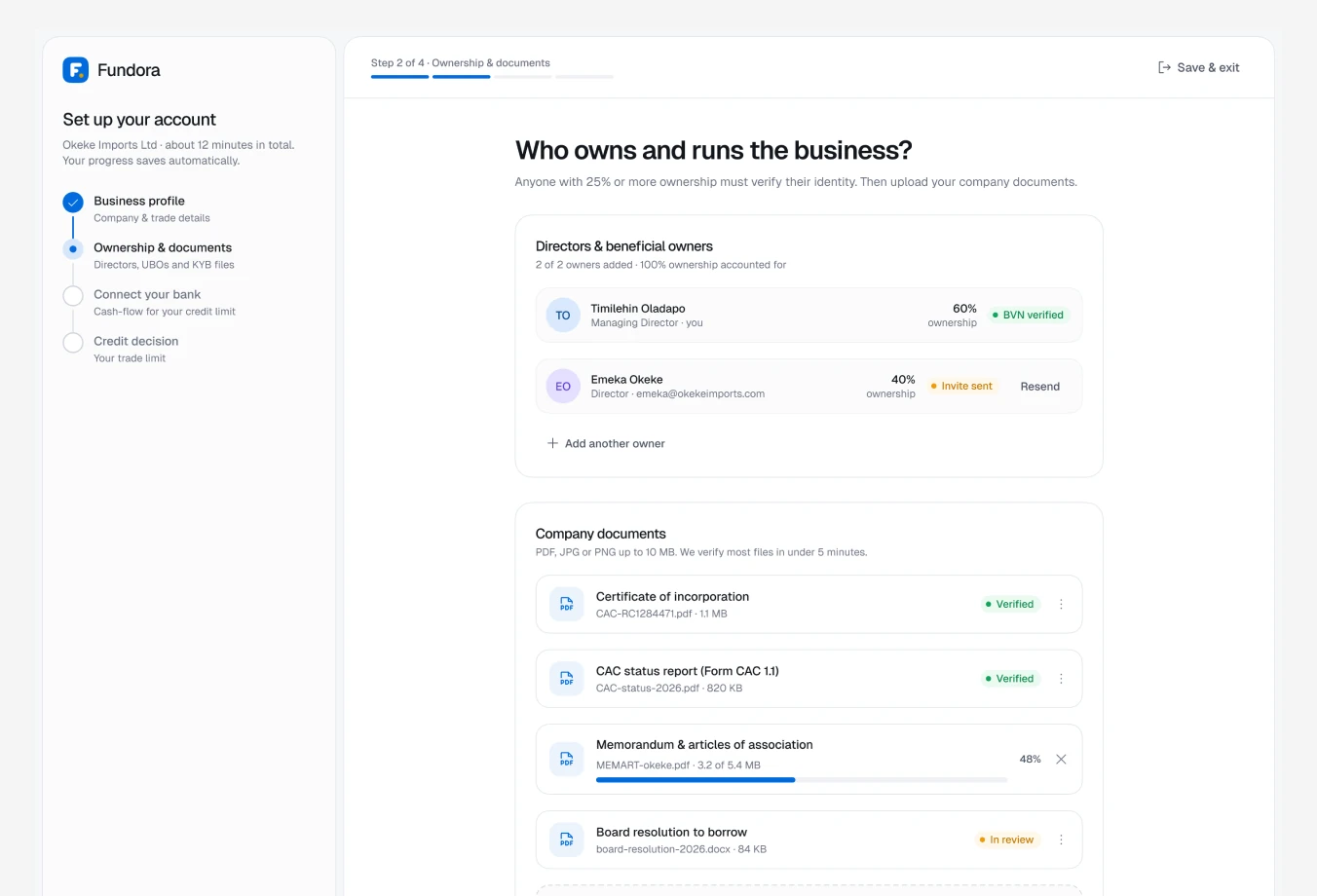
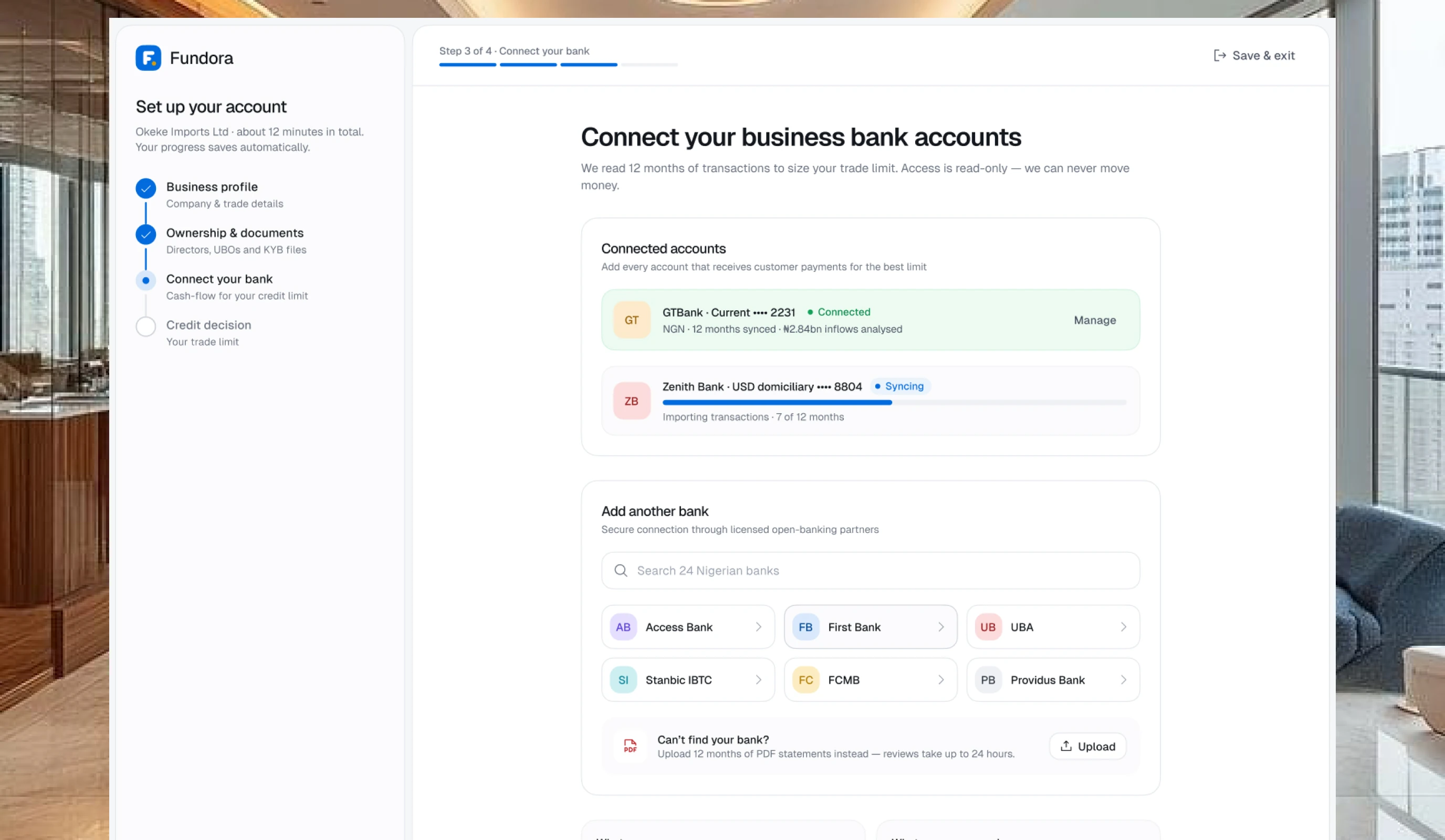
Business profile, ownership documents and bank connection come in four short steps, with progress saved automatically.
Connecting a bank reads 12 months of transactions to size the trade limit, with a clear “what we can see / what we can never do” panel to build trust.
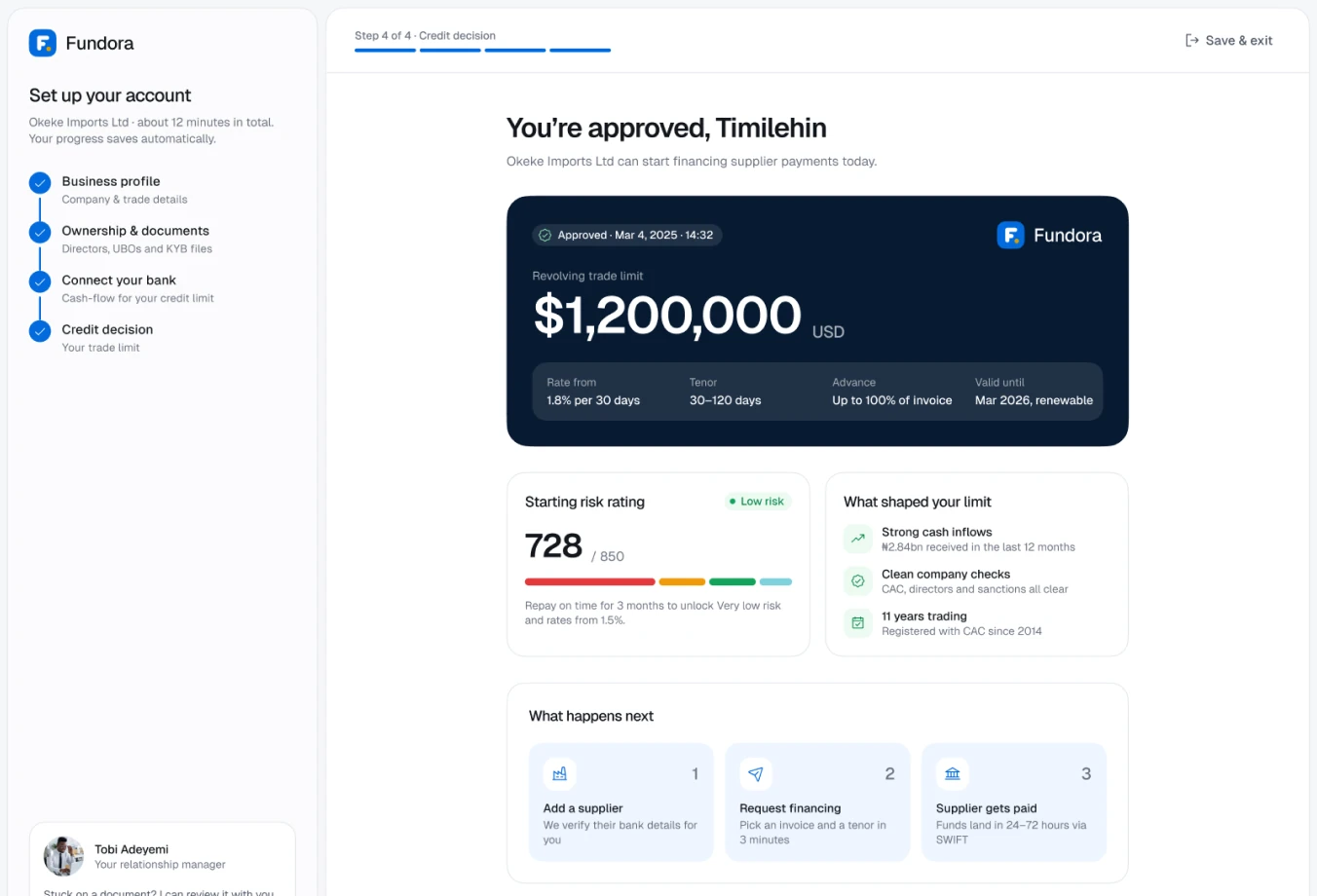
A relationship manager card offers a call or chat at the exact moment people tend to get stuck.
“Limit approved” closes the loop with a real number instead of a waiting state.
Facilities & credit limit
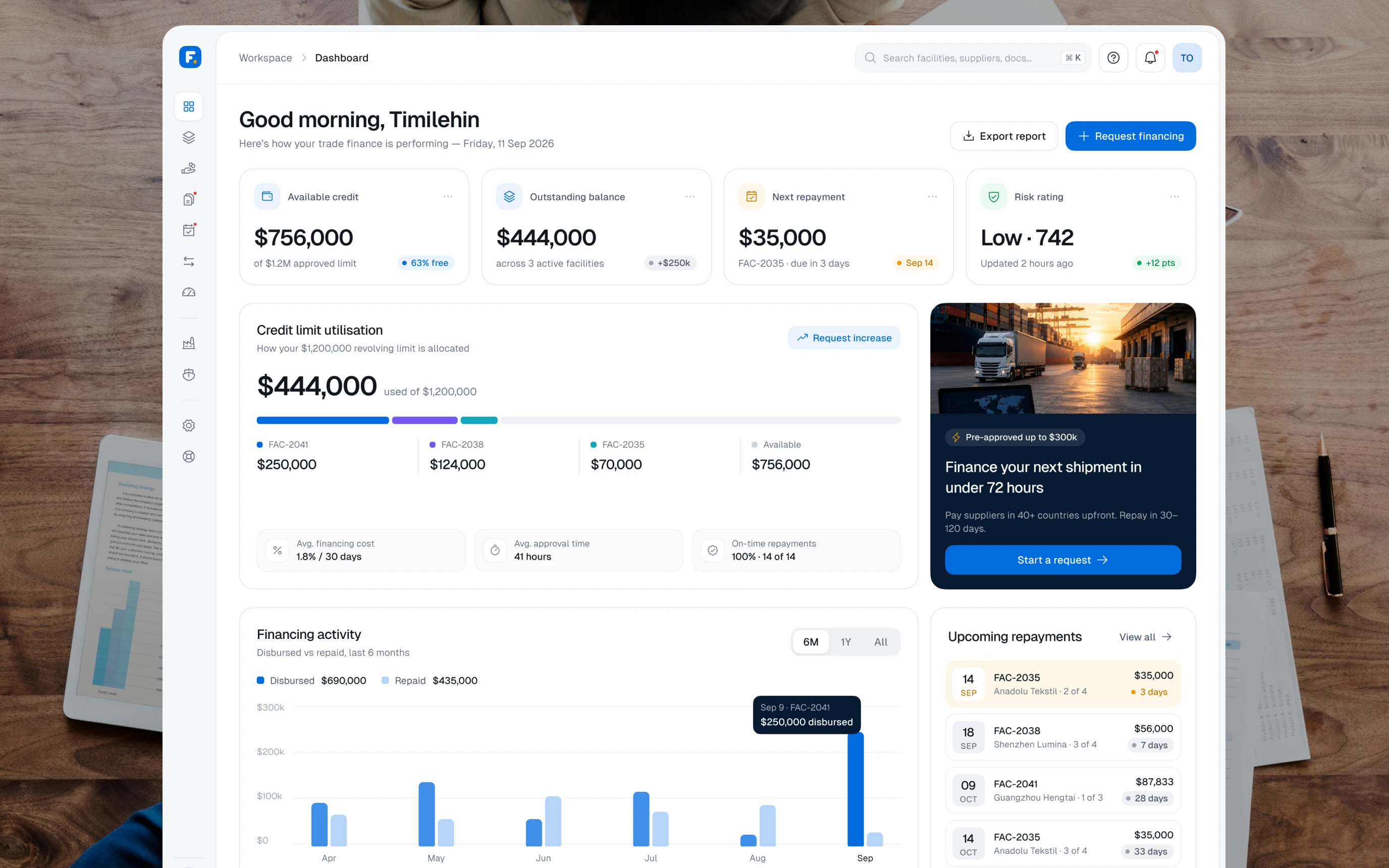
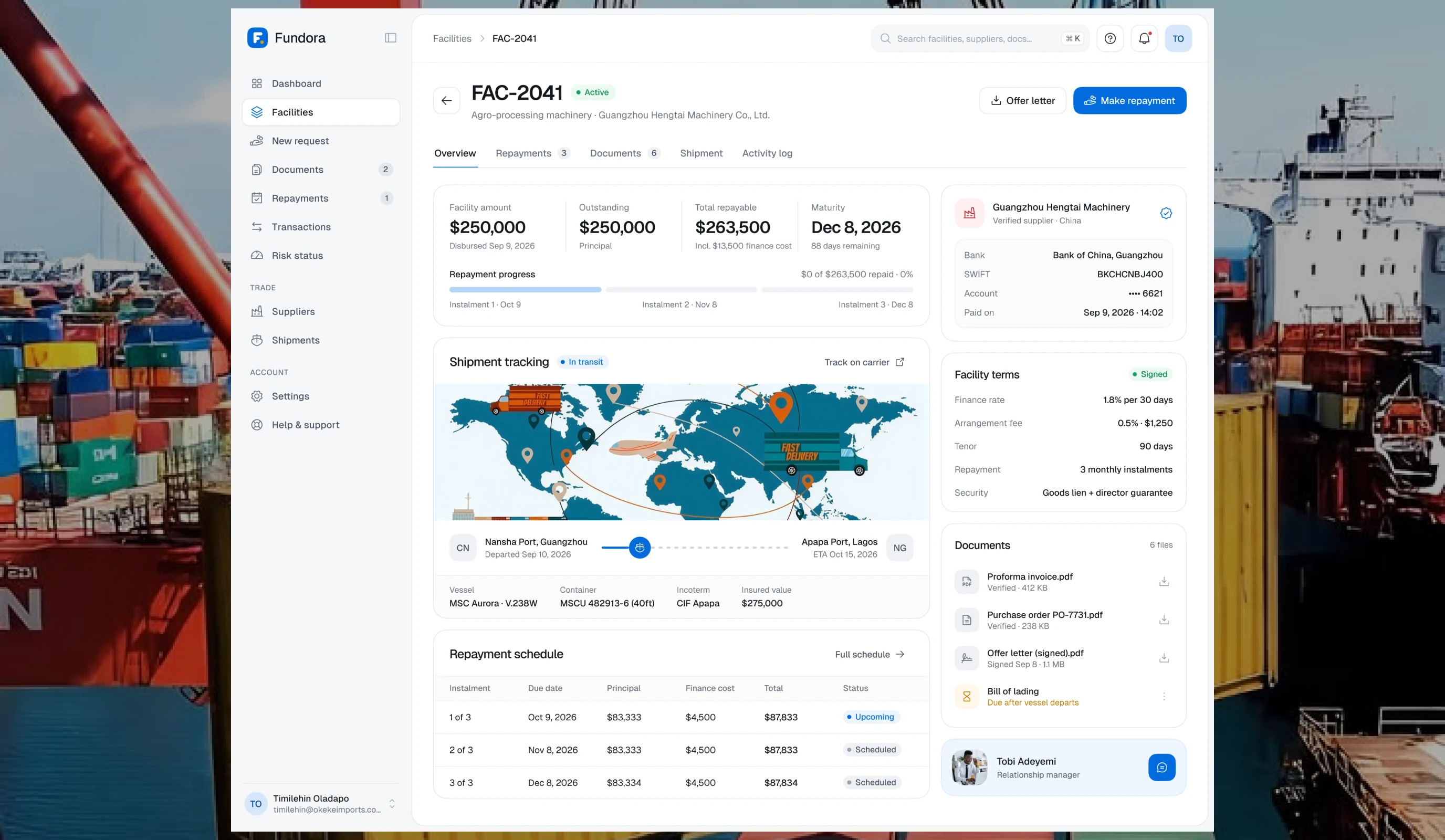
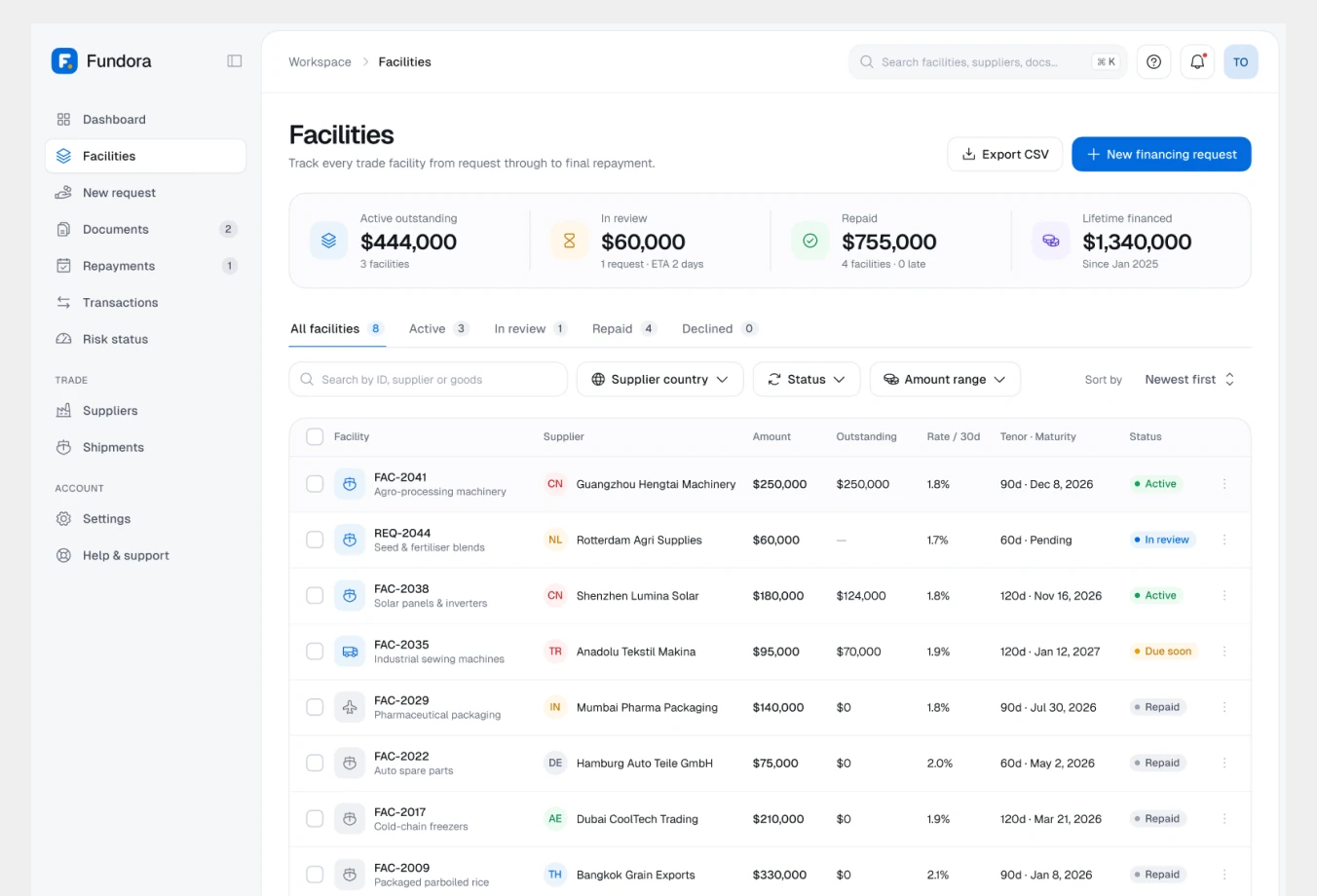
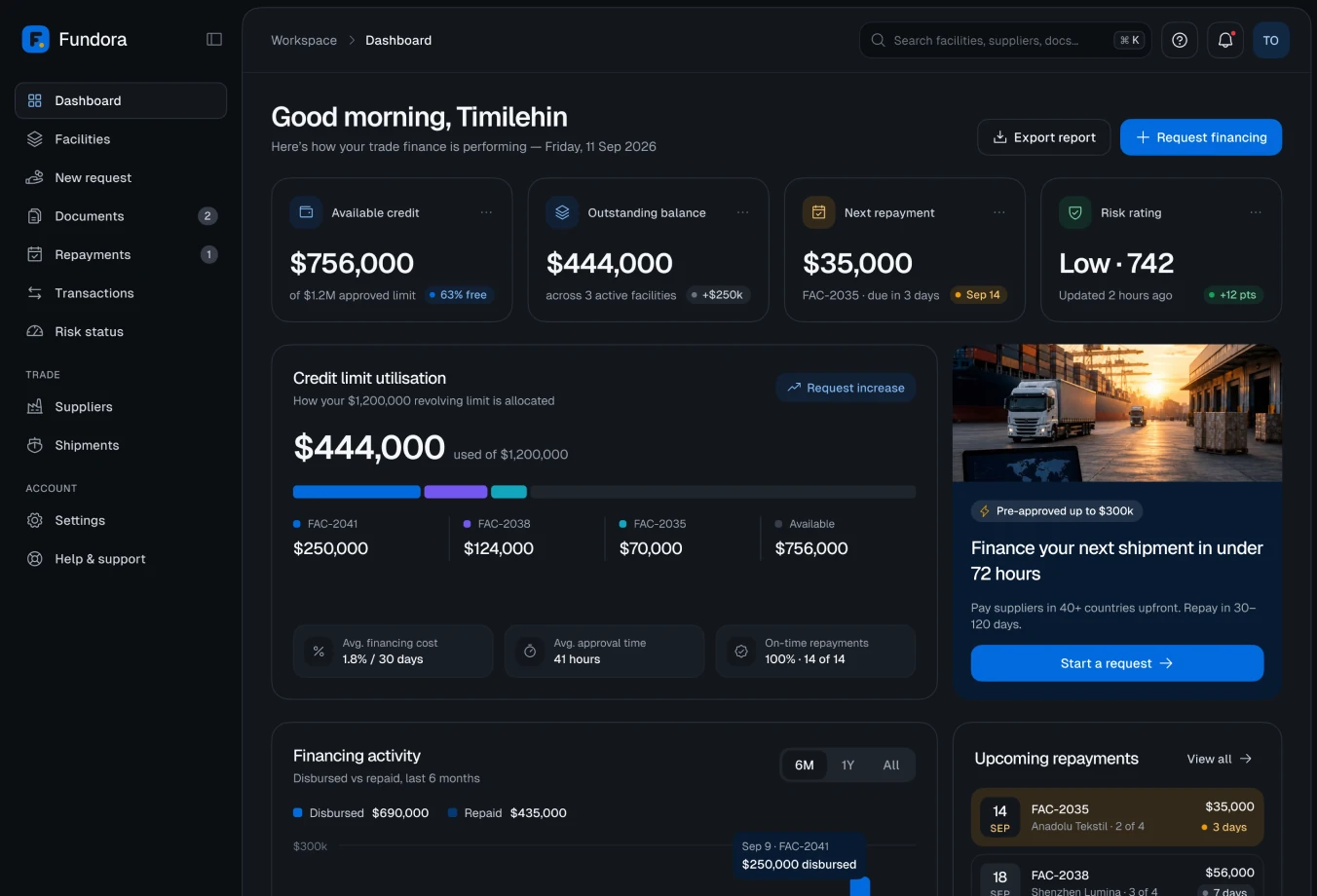
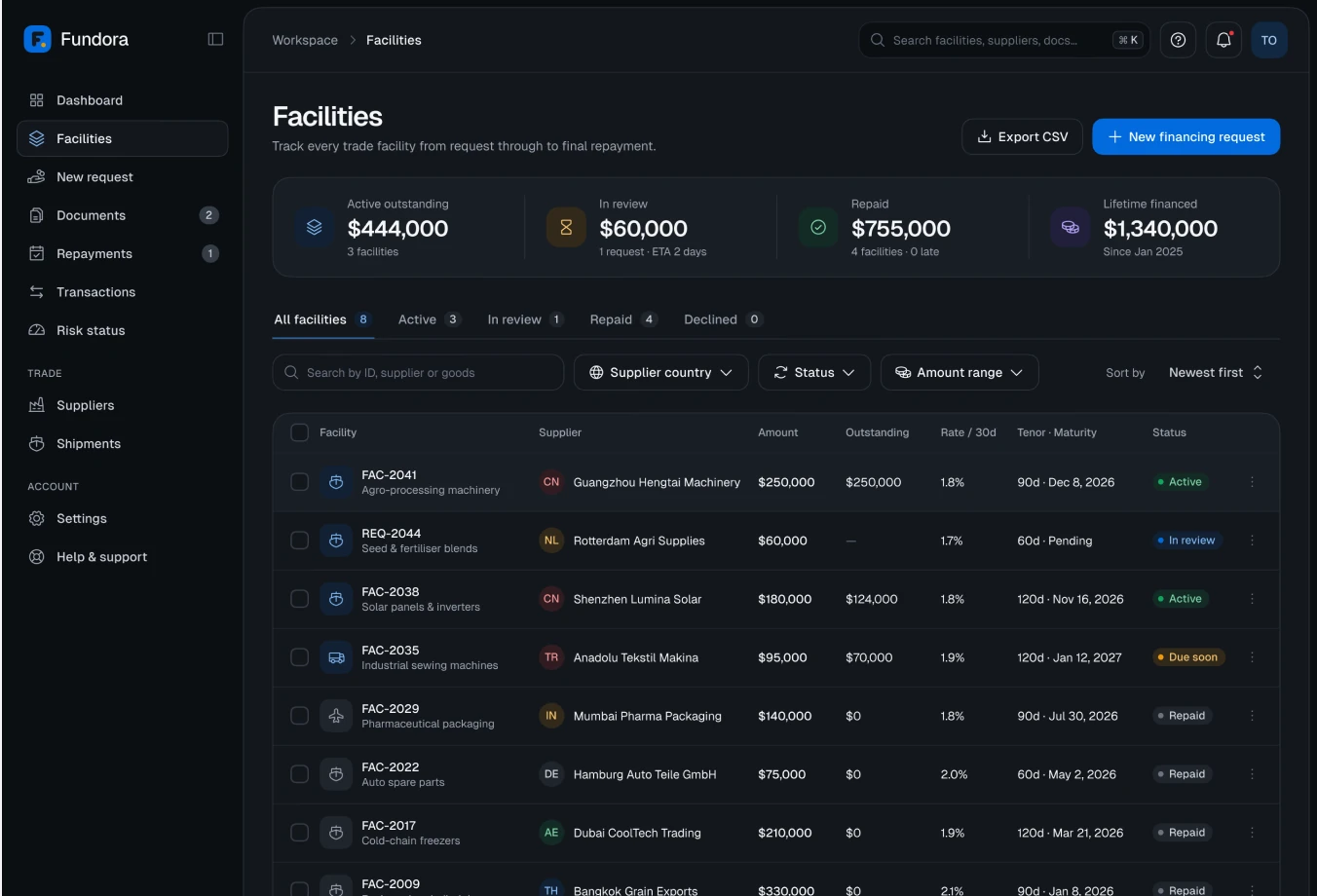
Every active facility shows what was borrowed, what is left and what is due next, so finance teams can plan cash with confidence.
Facility detail combines instalments, documents and supplier in one view.
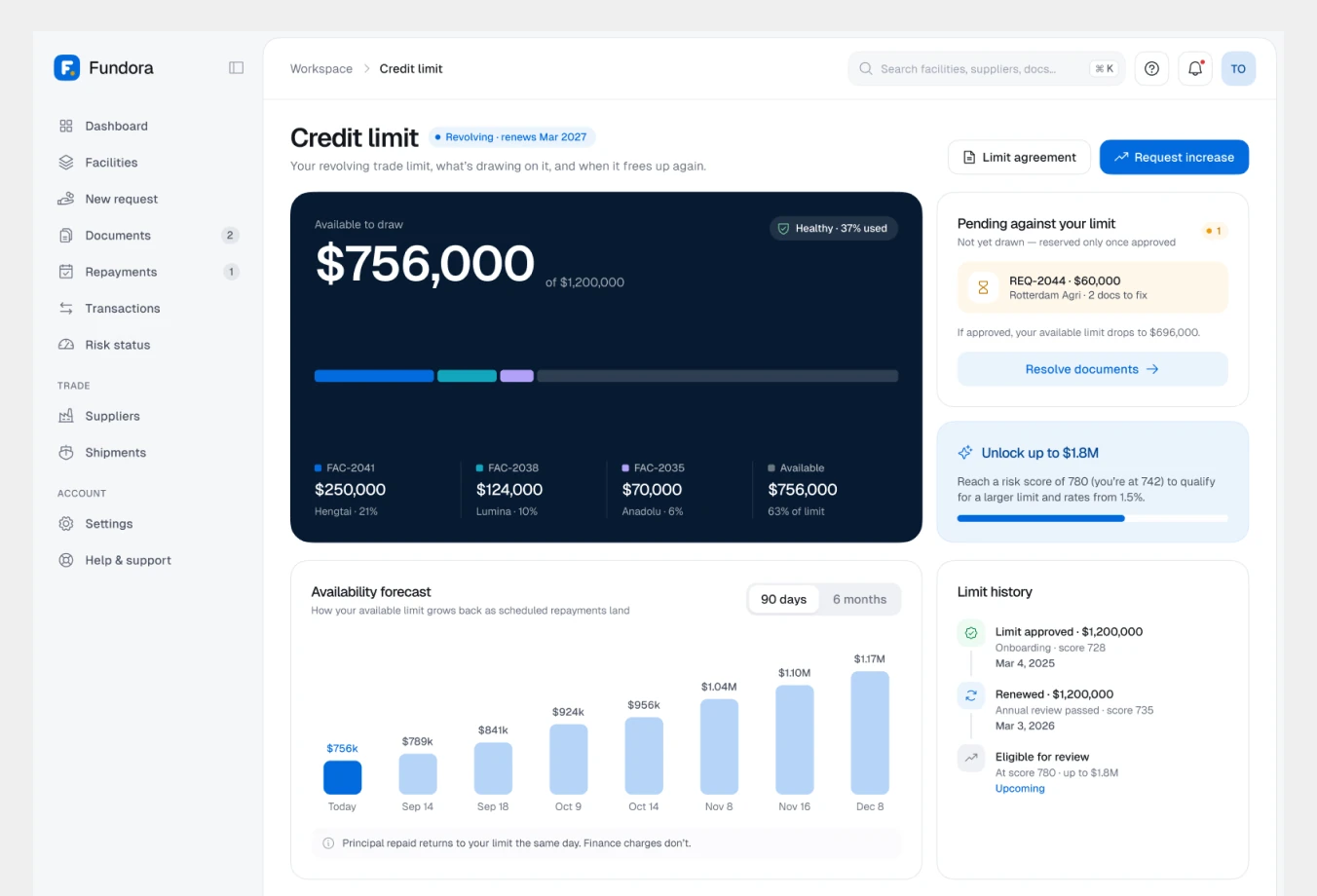
The credit-limit overview shows how much is available, what is drawing on it and the history of limit changes.
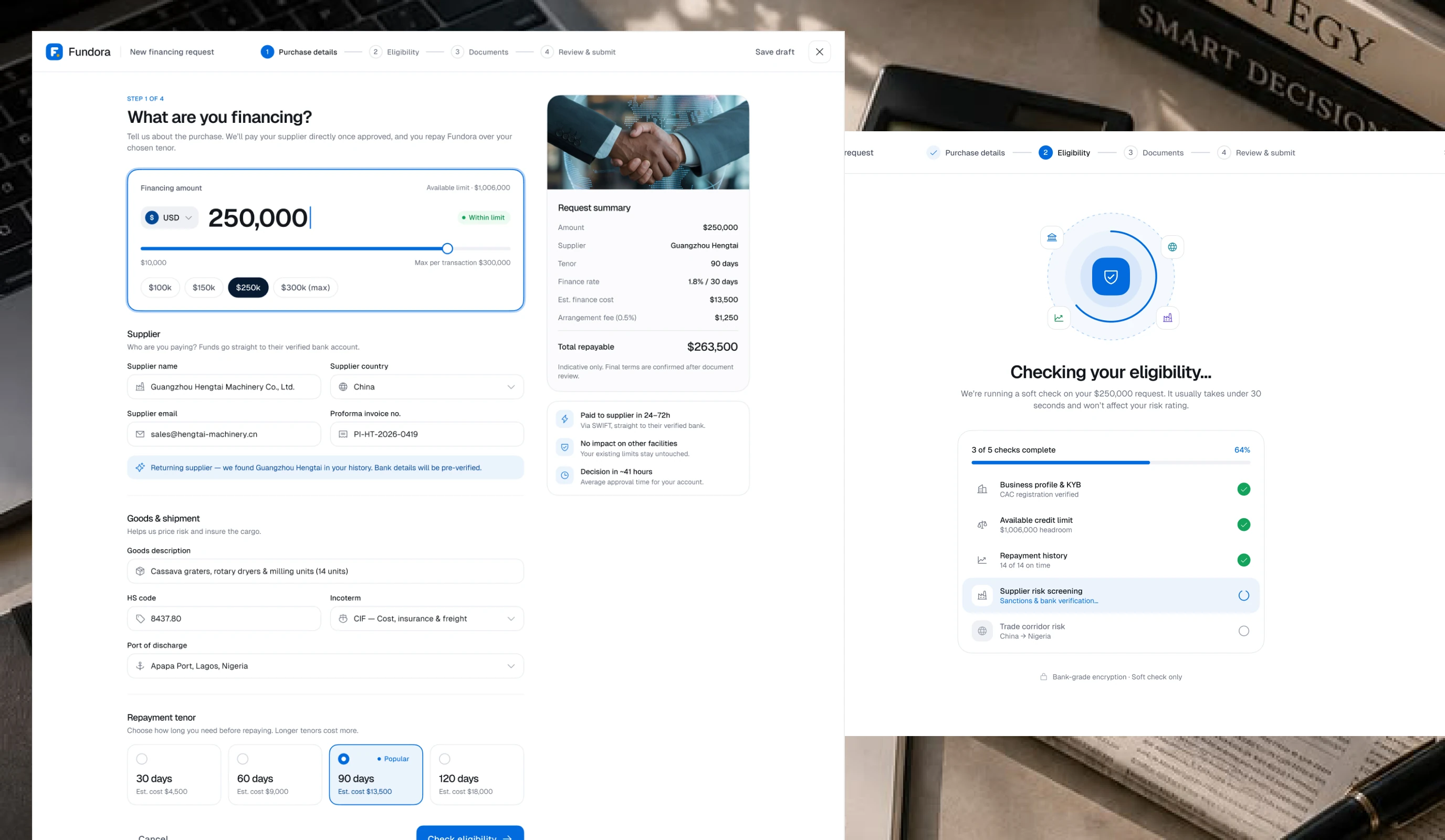
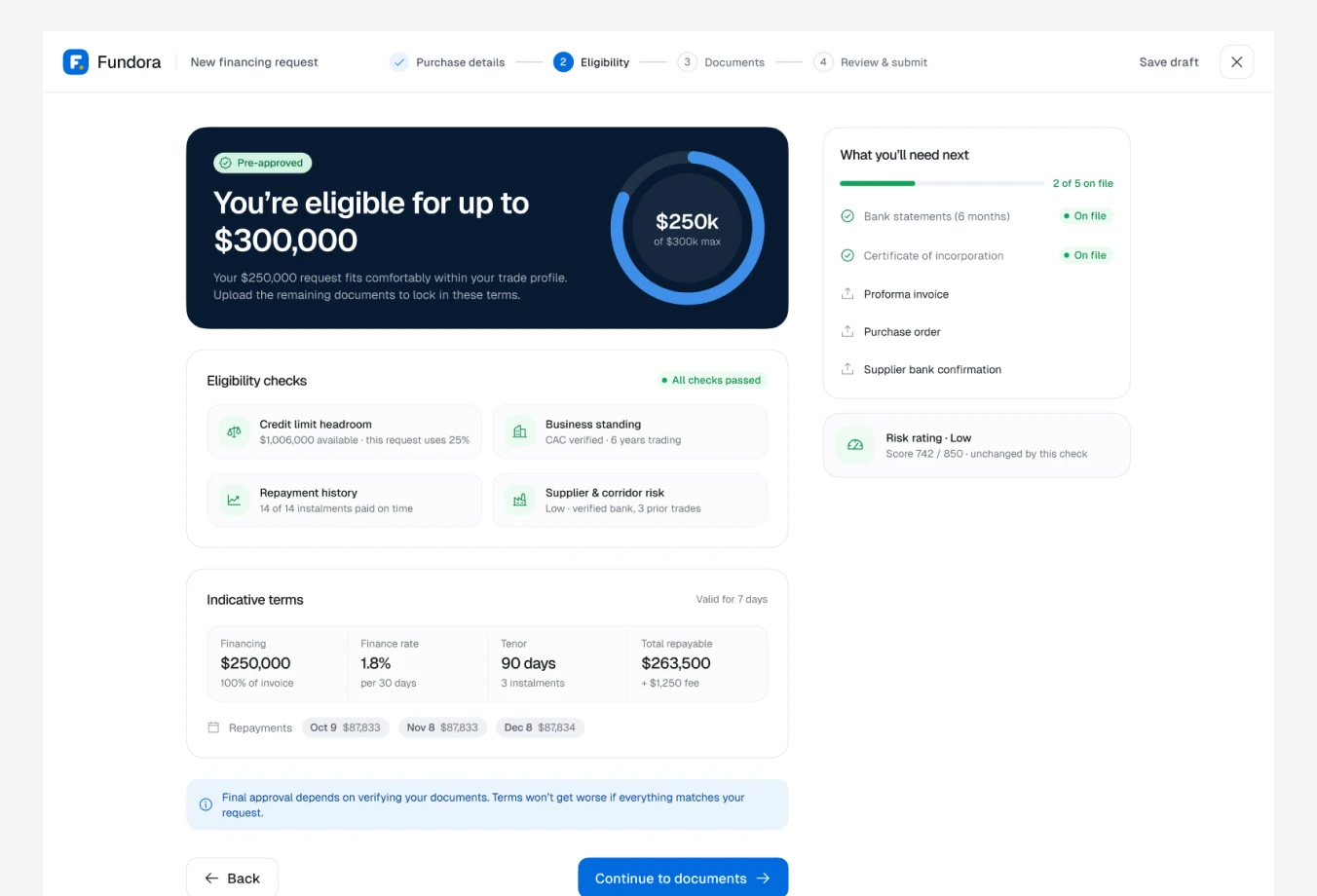
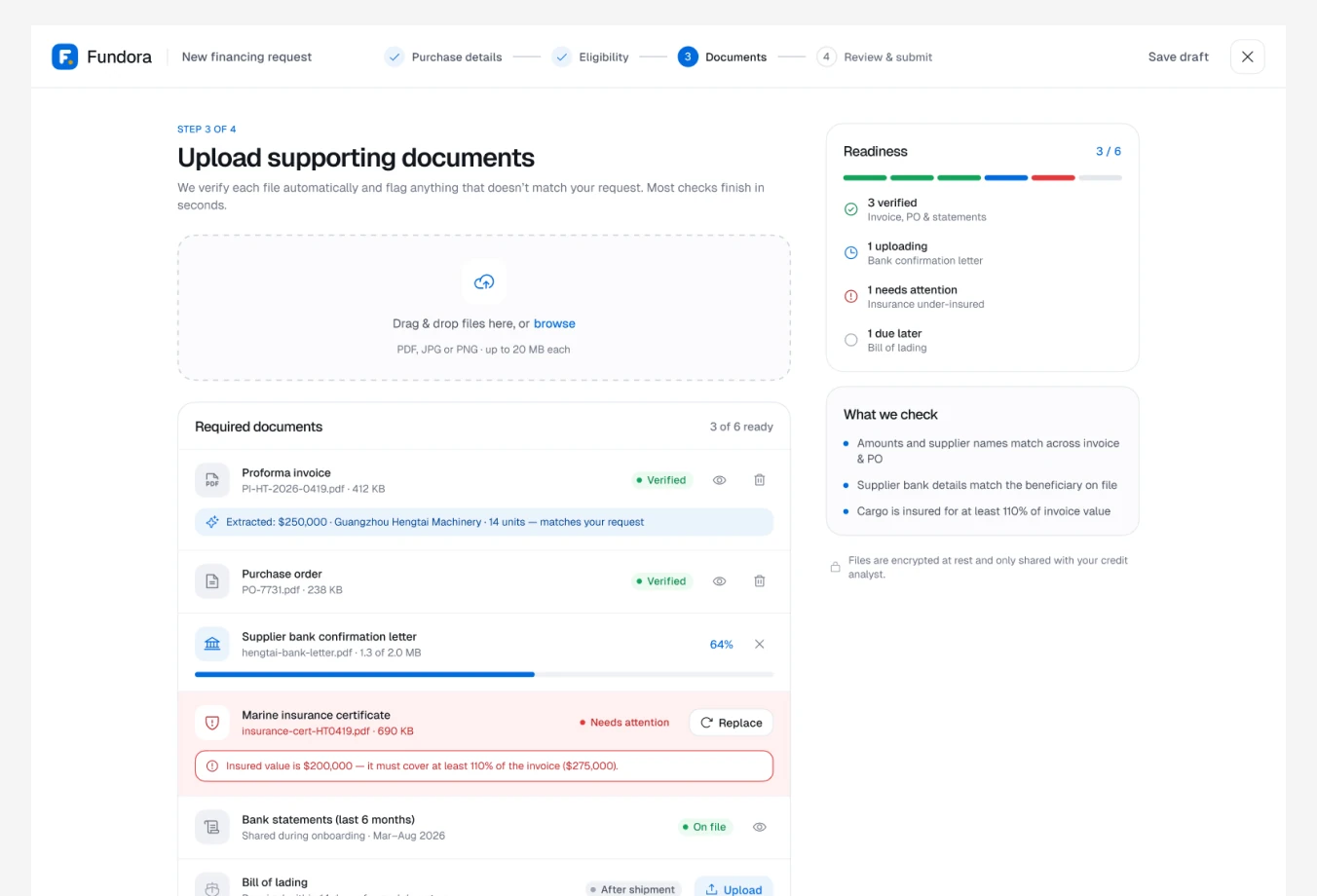
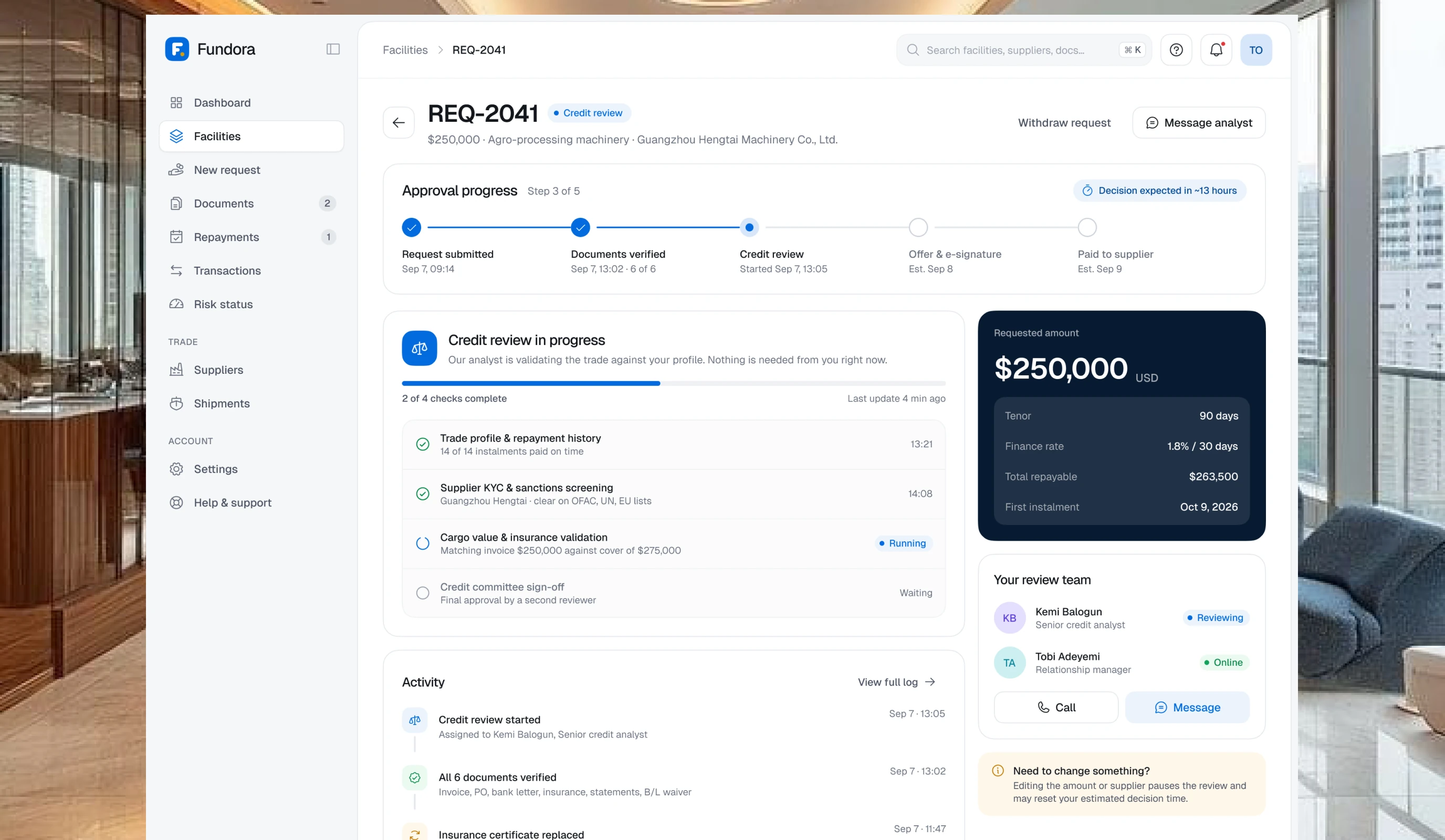
The $250k request, from start to payout
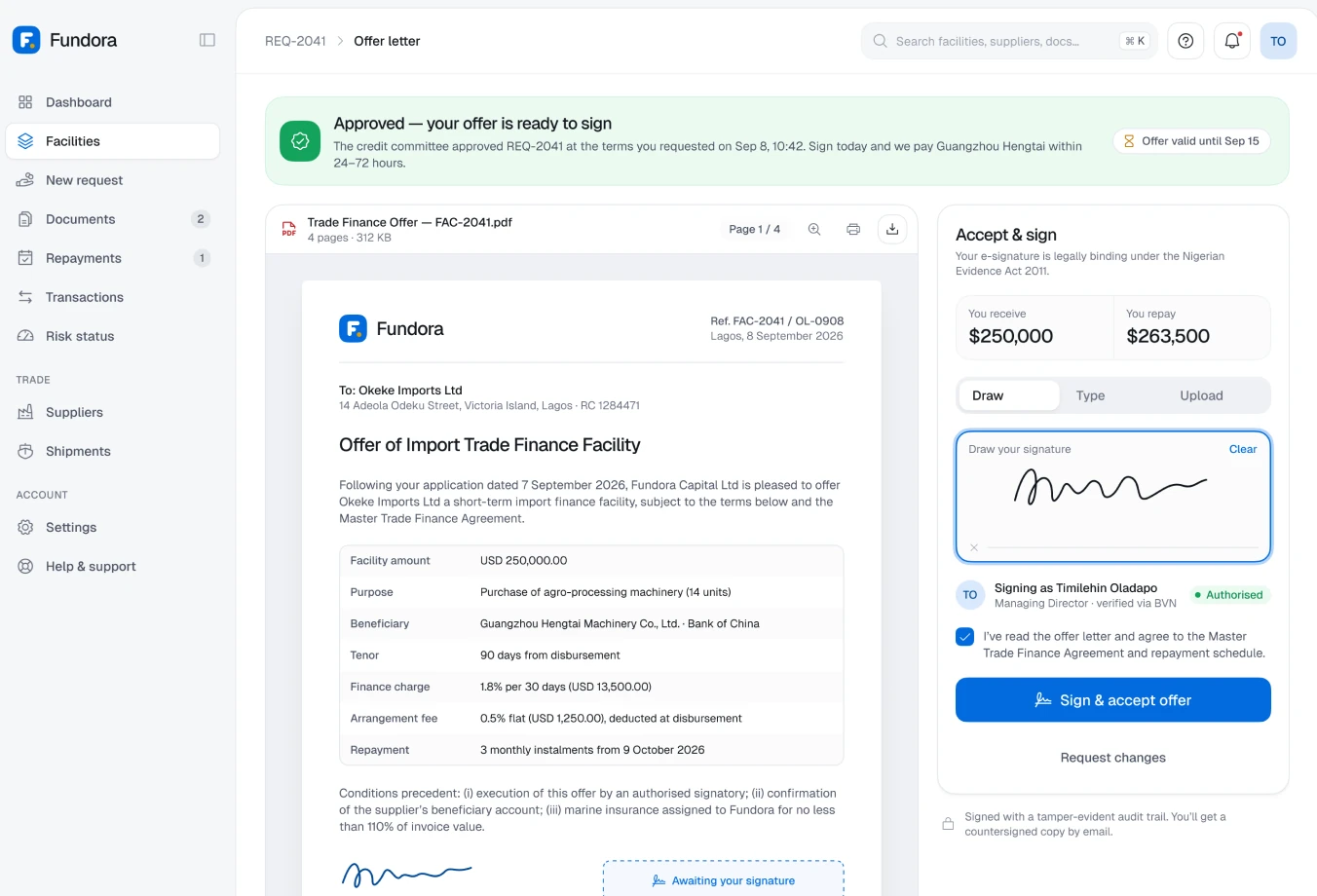
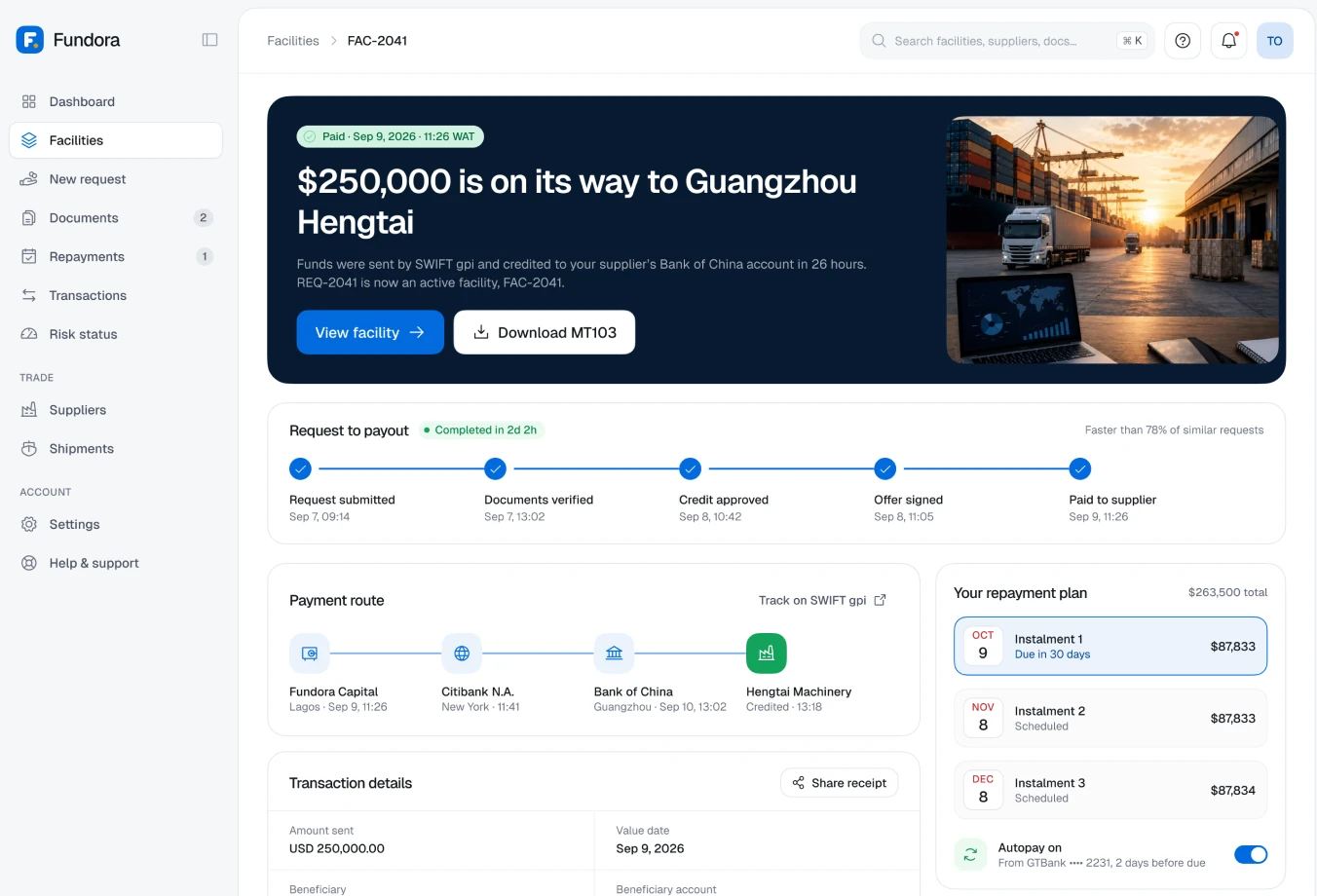
The core flow takes a supplier invoice to disbursement in a sequence that always shows where you are and what happens next.
The first step asks only for purchase details: amount, supplier and goods.
Eligibility runs live, with a clear result before any documents are requested.
After submission, an approval tracker and disbursement confirmation replace back-and-forth emails.
Repayments, risk status & documents
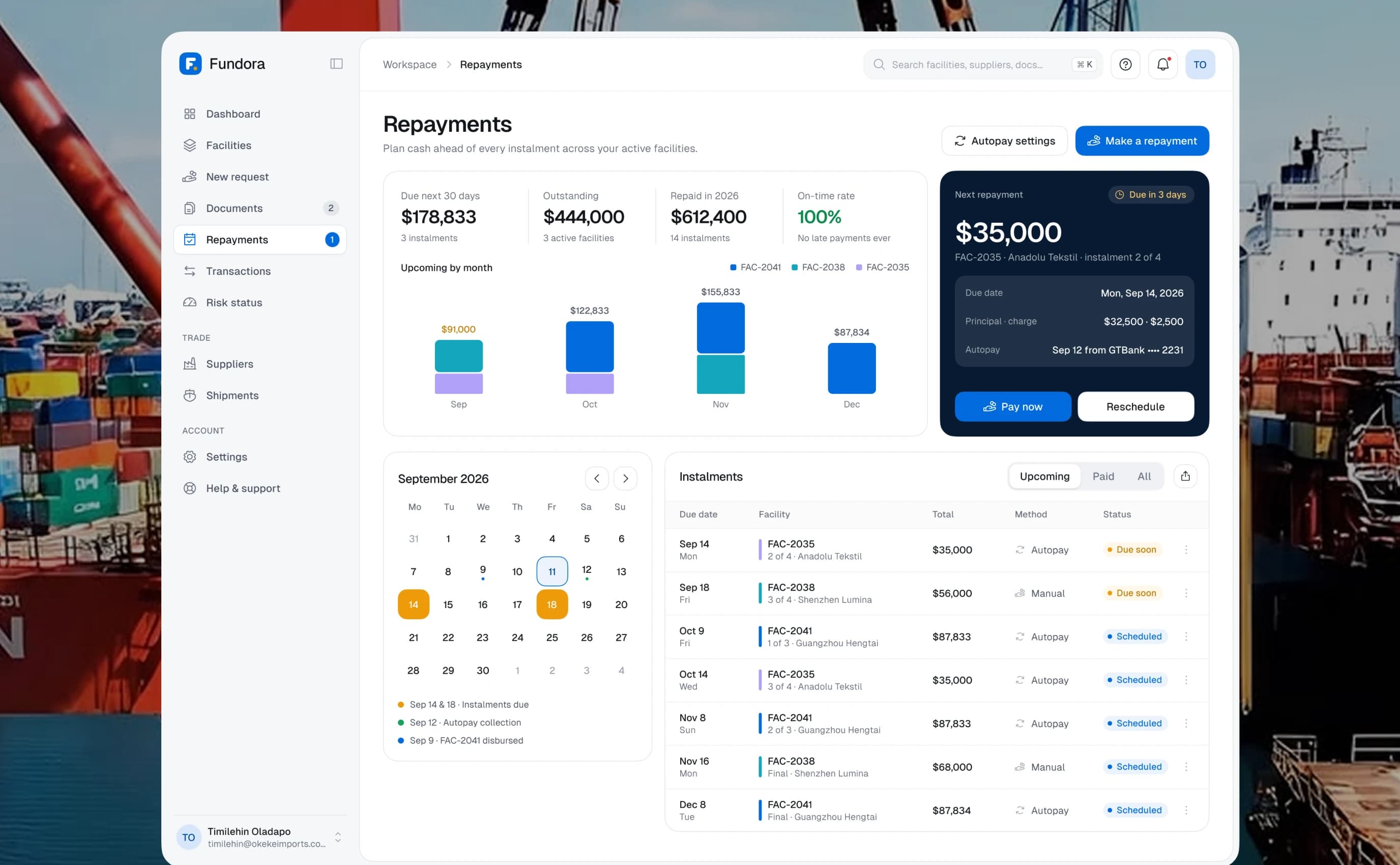
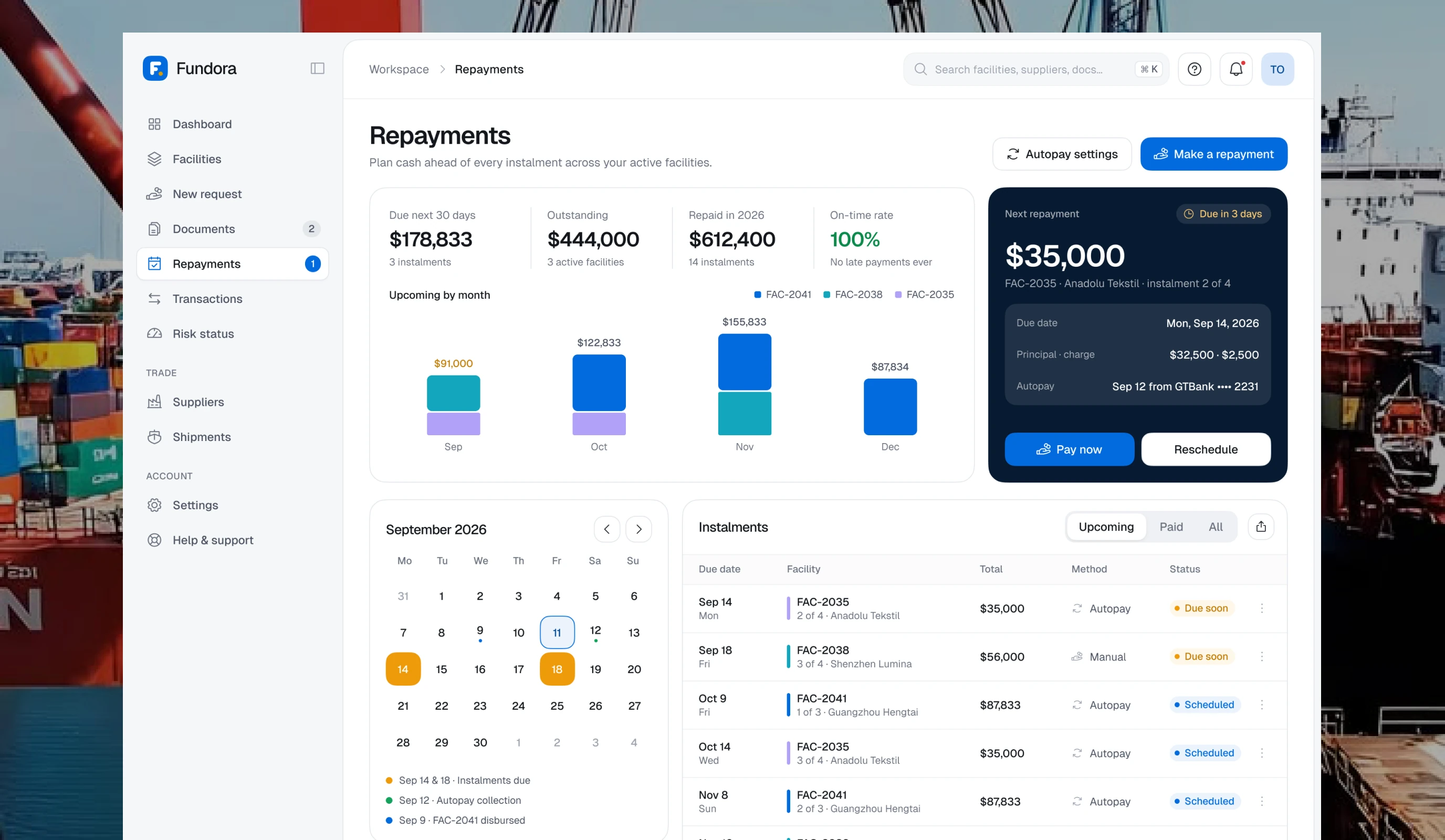
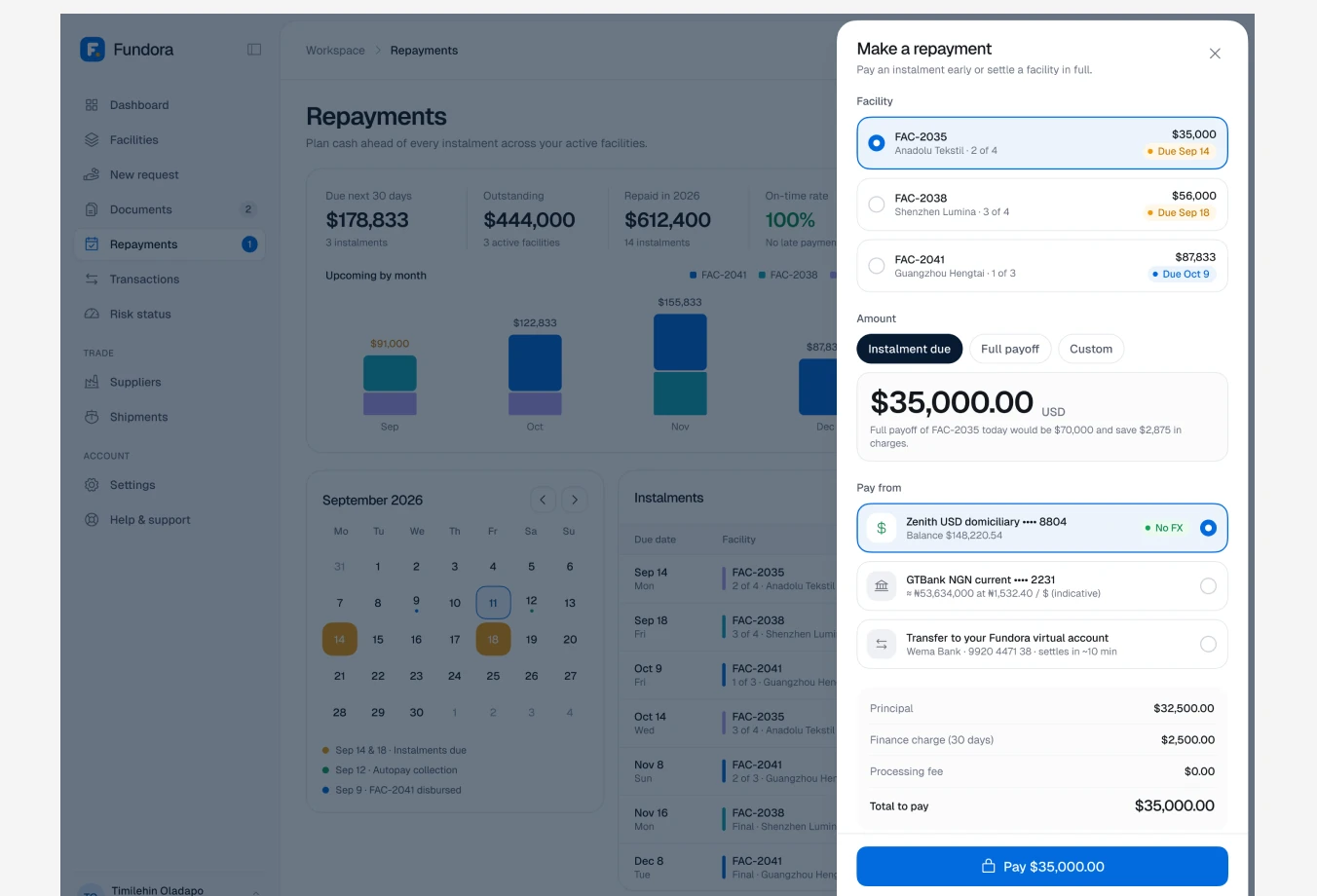
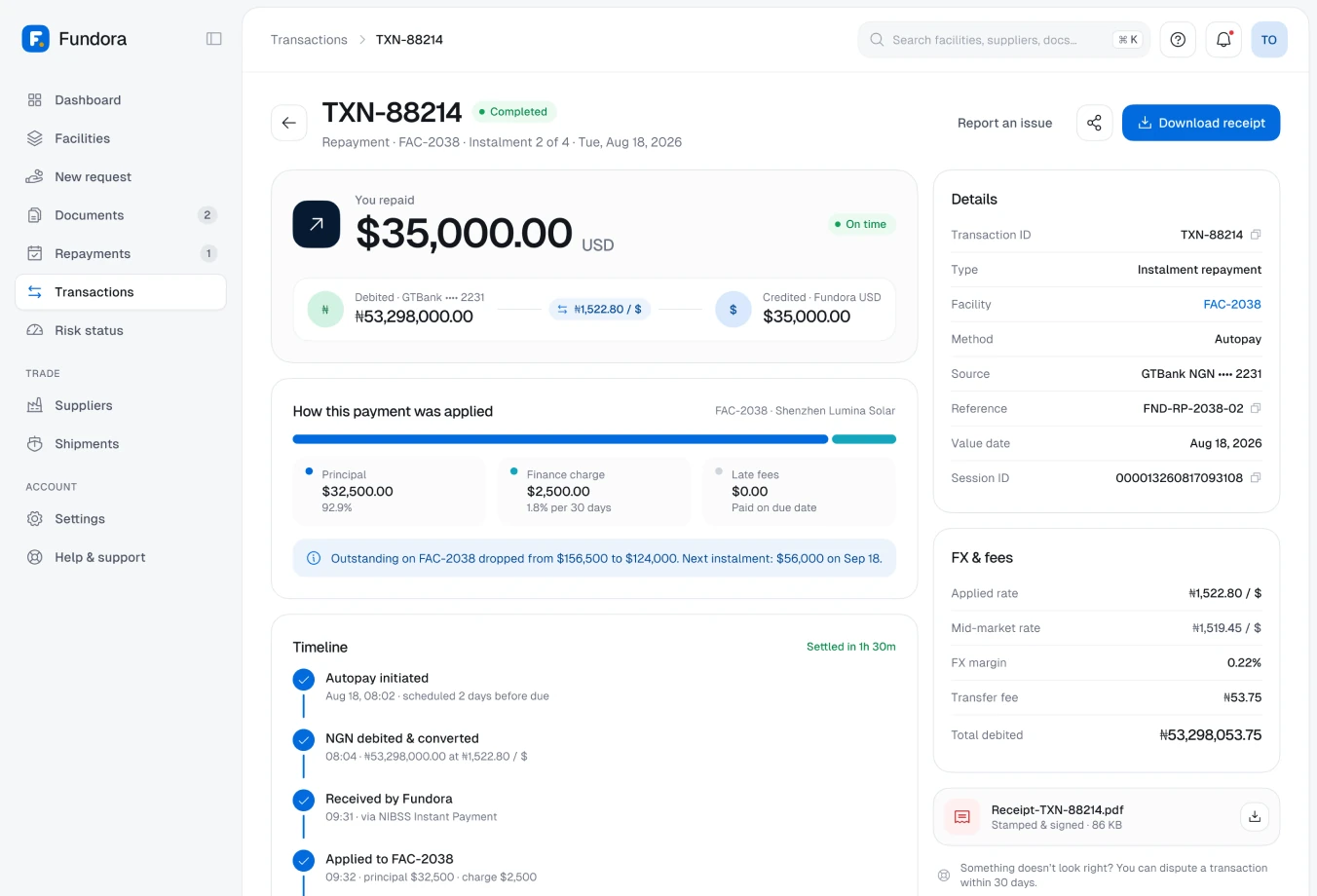
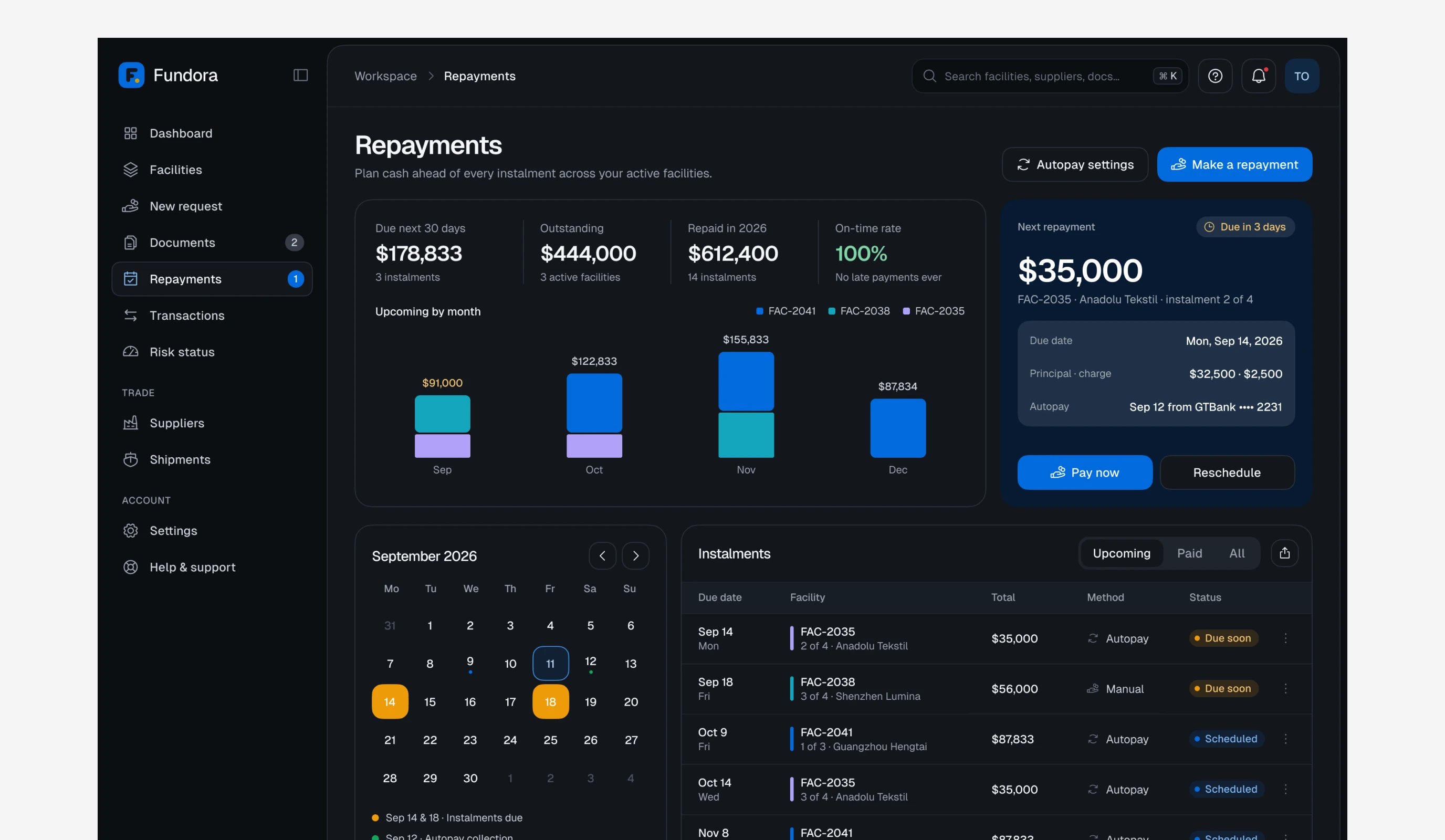
Repayment is where trust is won or lost, so upcoming instalments, autopay and payment options are always one click away, and every document behind a facility lives in one place.
A calendar and an upcoming-by-month chart make cash planning visual.
Making a repayment opens in a side panel, so context is never lost.
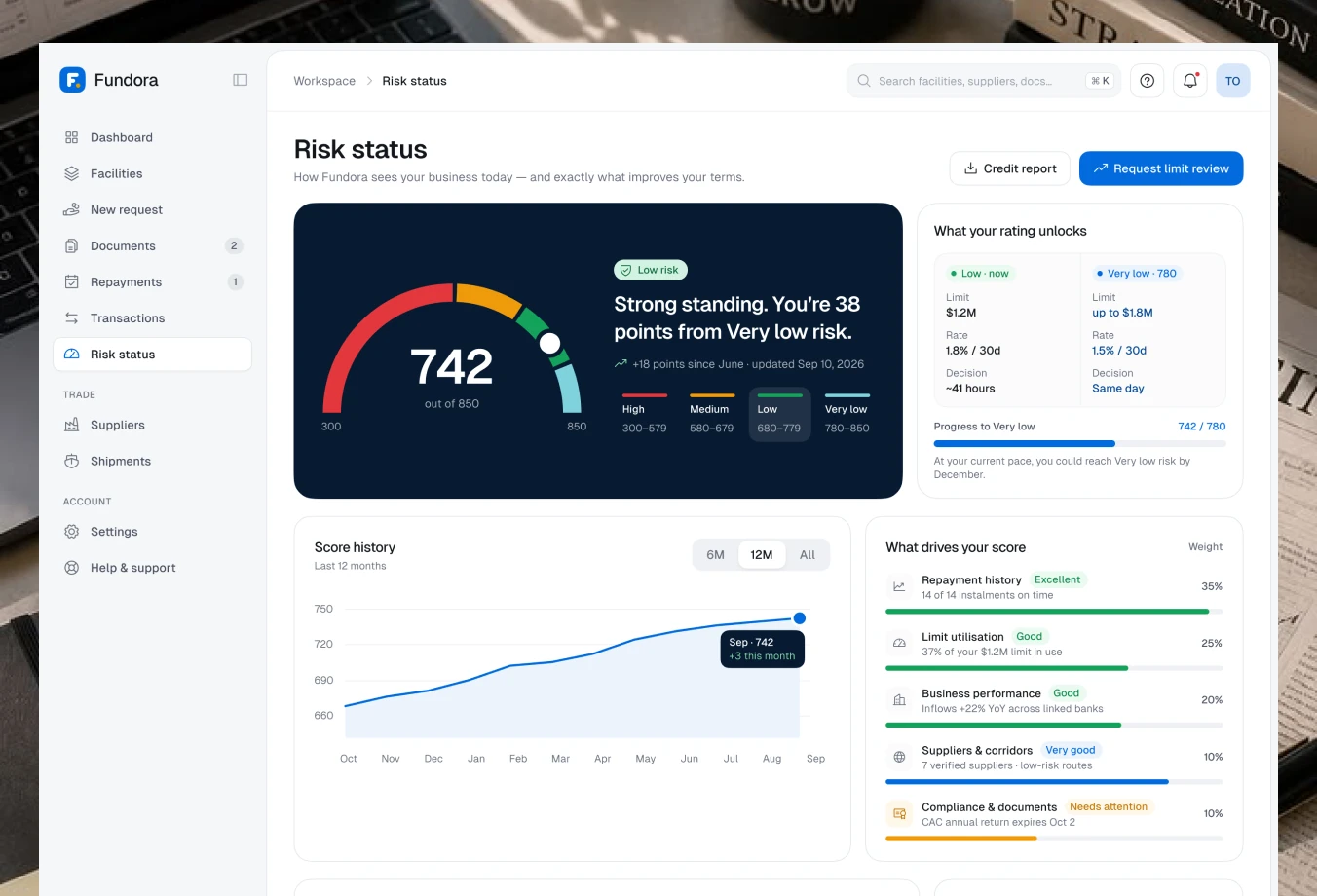
Risk status explains the score in plain language, with clear ways to improve it.
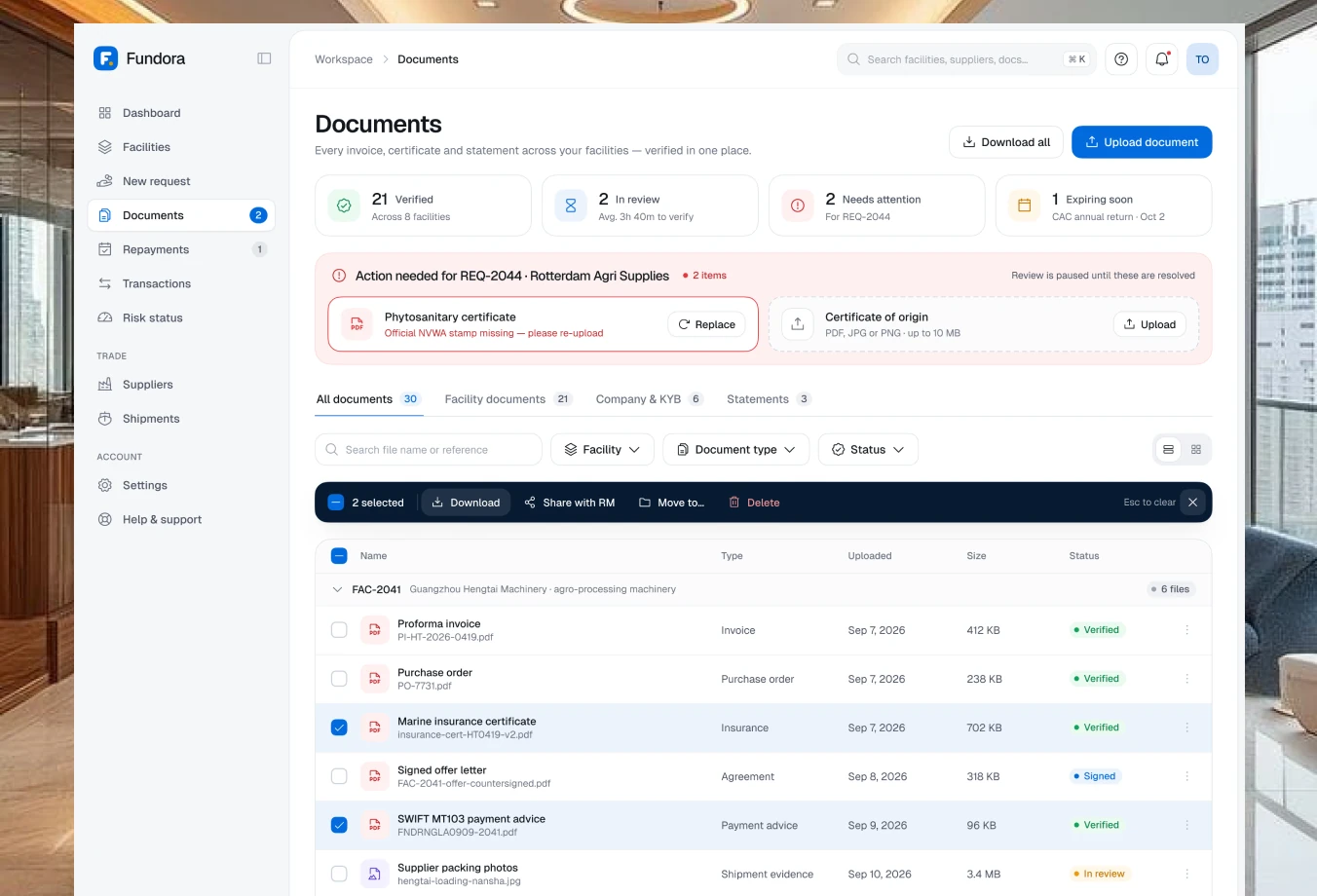
A central document library keeps invoices, contracts and KYC files organised by facility, with clear status for anything pending or expiring.
Suppliers & shipments
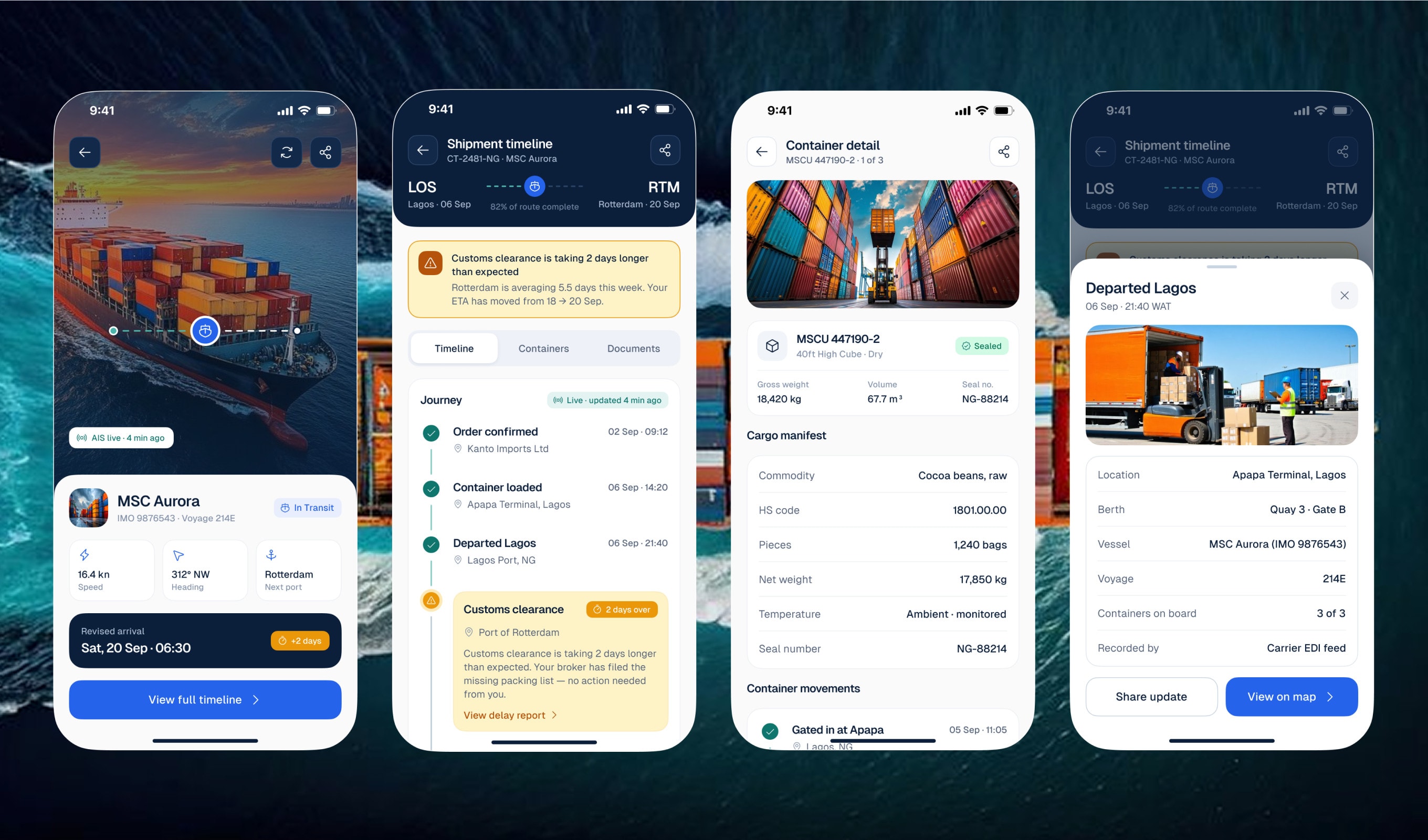
Financing is only as good as the trade behind it, so suppliers and shipments live inside Fundora, right next to the money that pays for them.
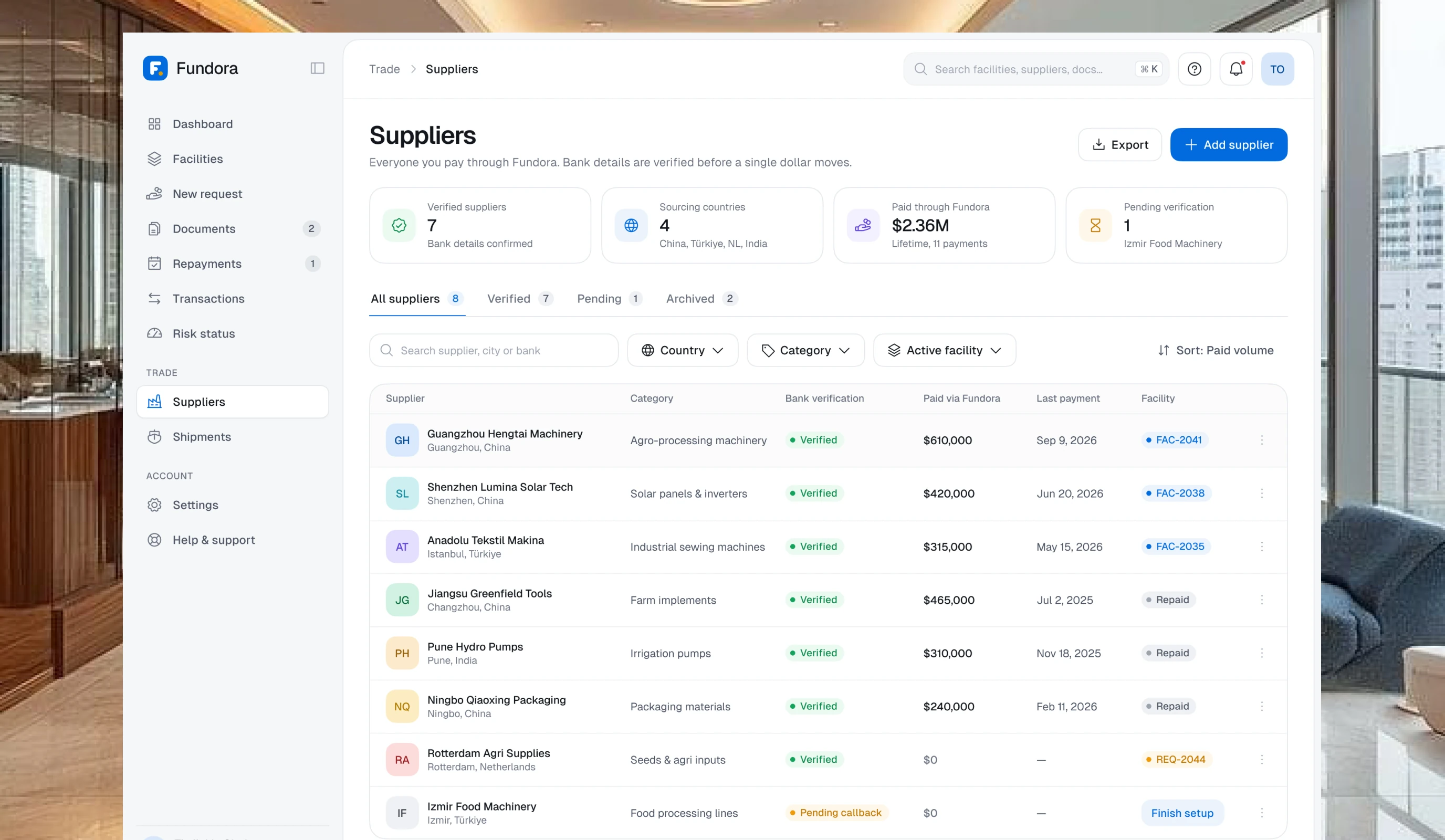
The supplier directory shows verification status, country and total financed for every supplier at a glance.
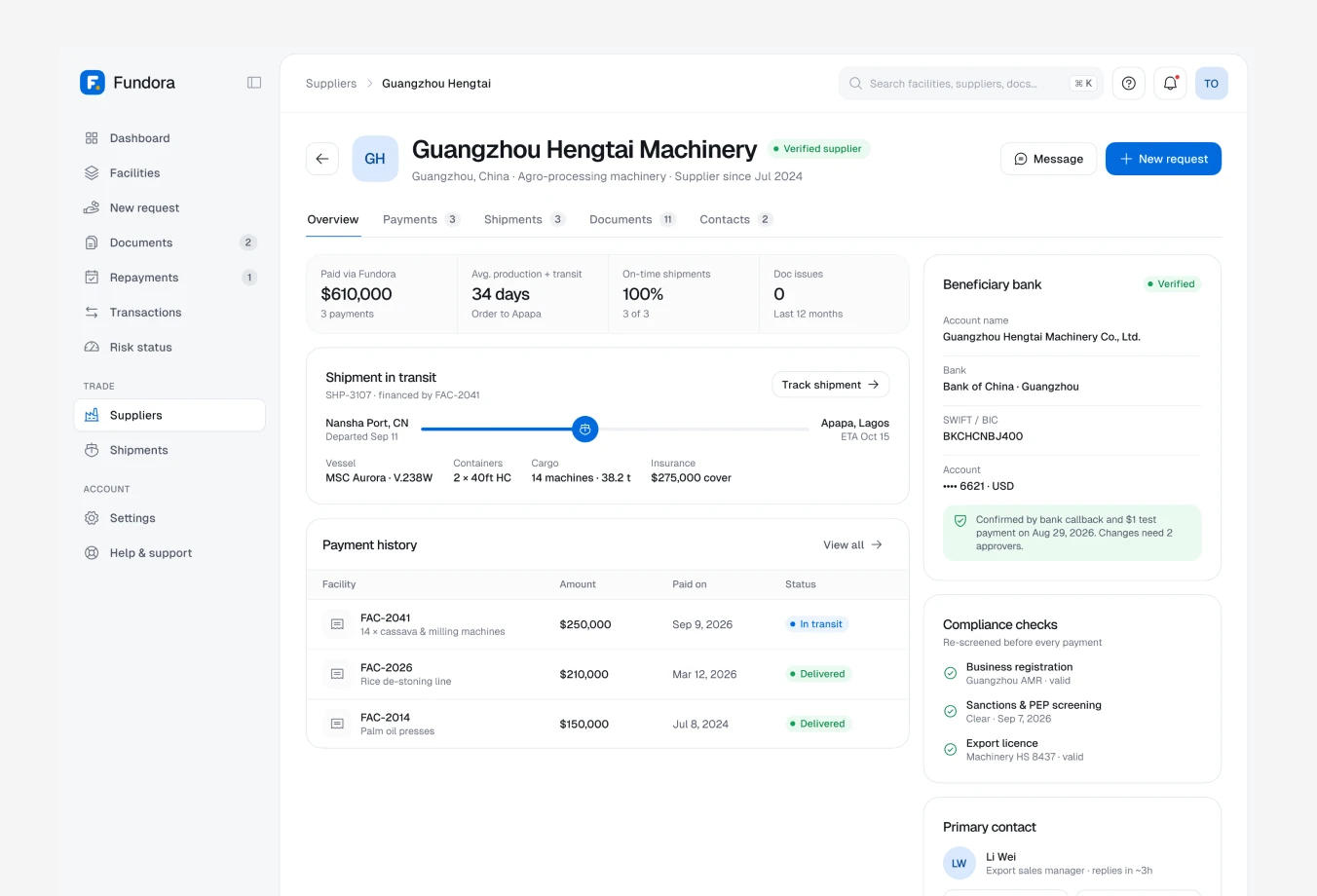
Supplier detail brings bank details, past facilities and documents into one profile.
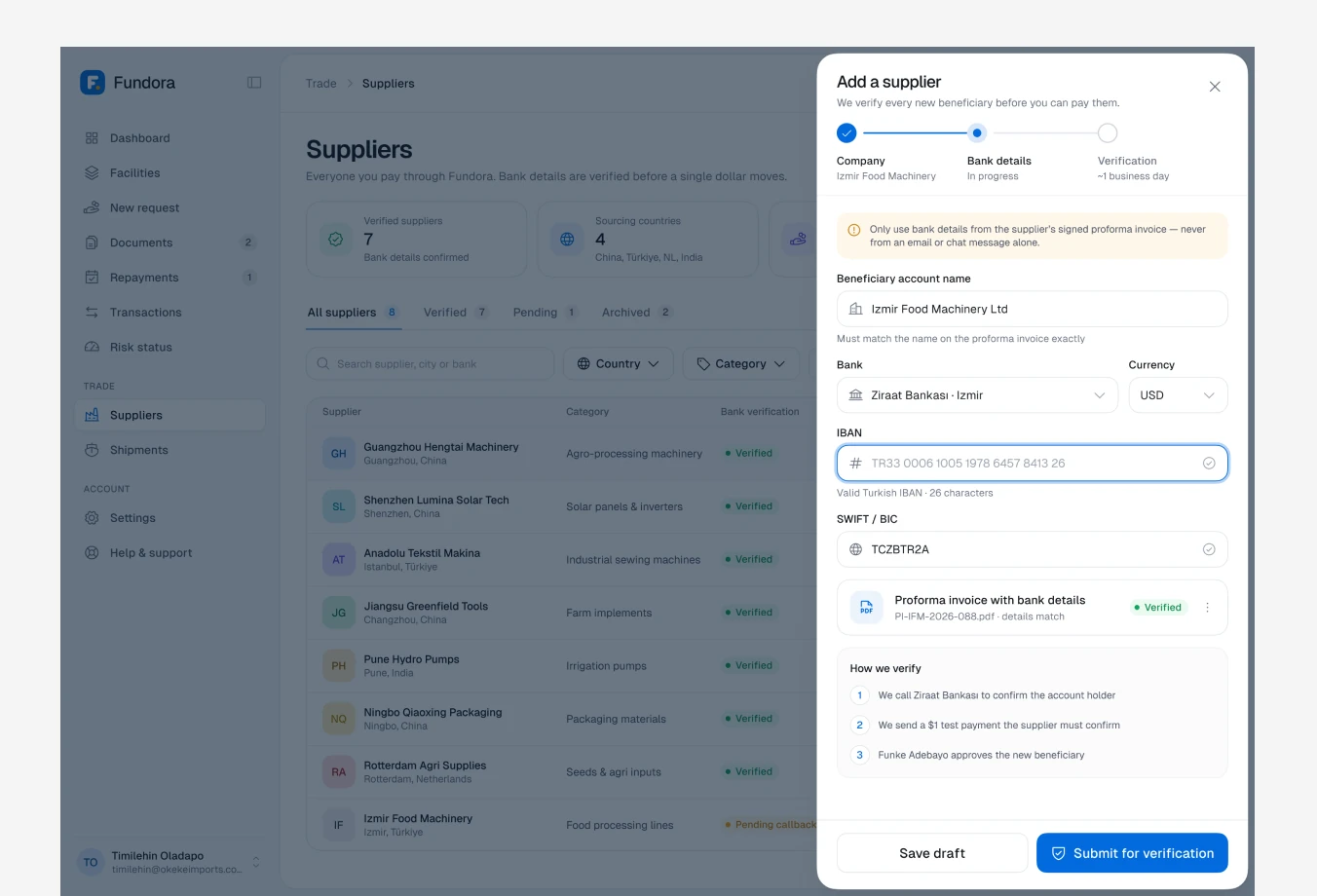
Adding a supplier runs bank verification in a side panel, reducing fraud before any money moves.
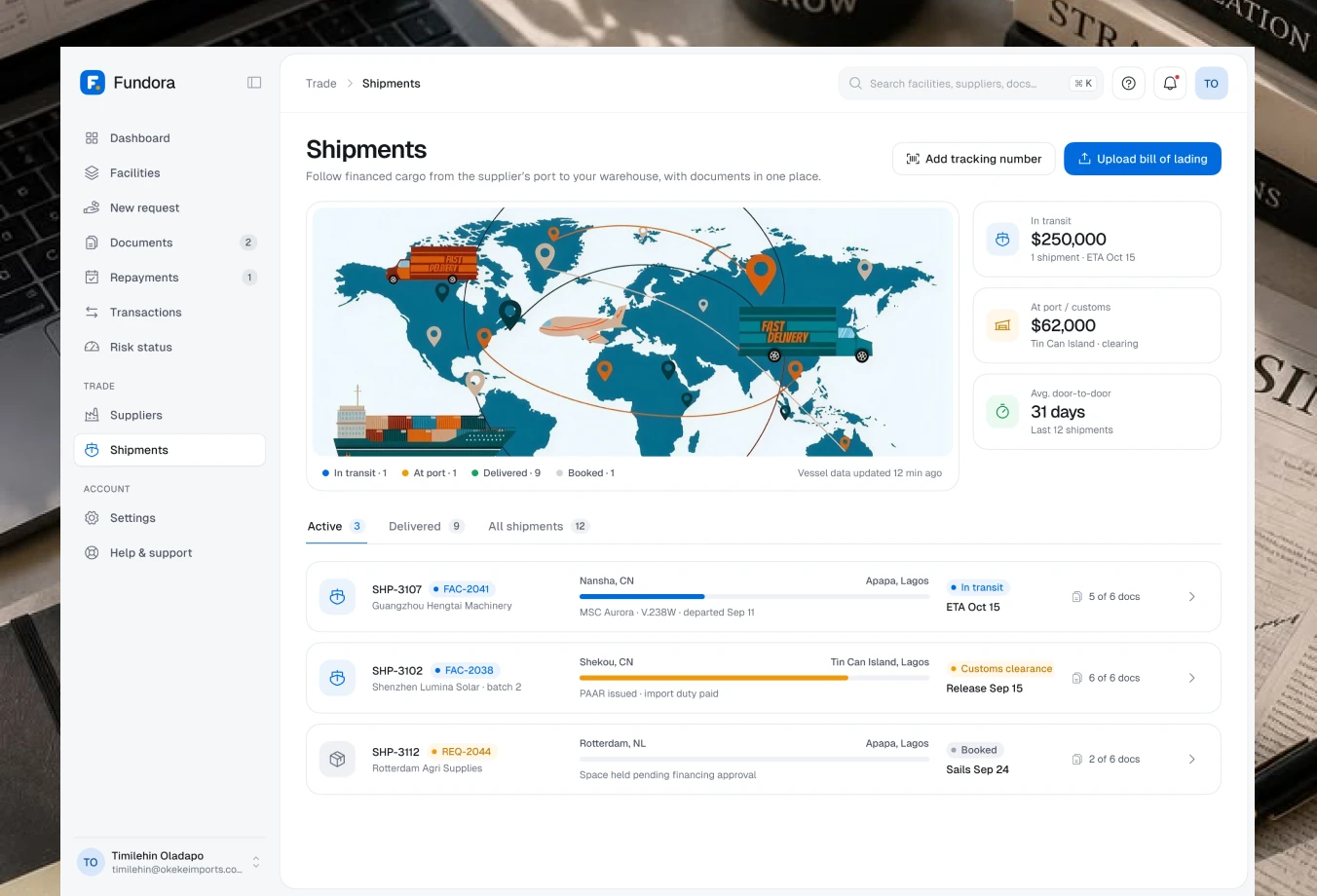
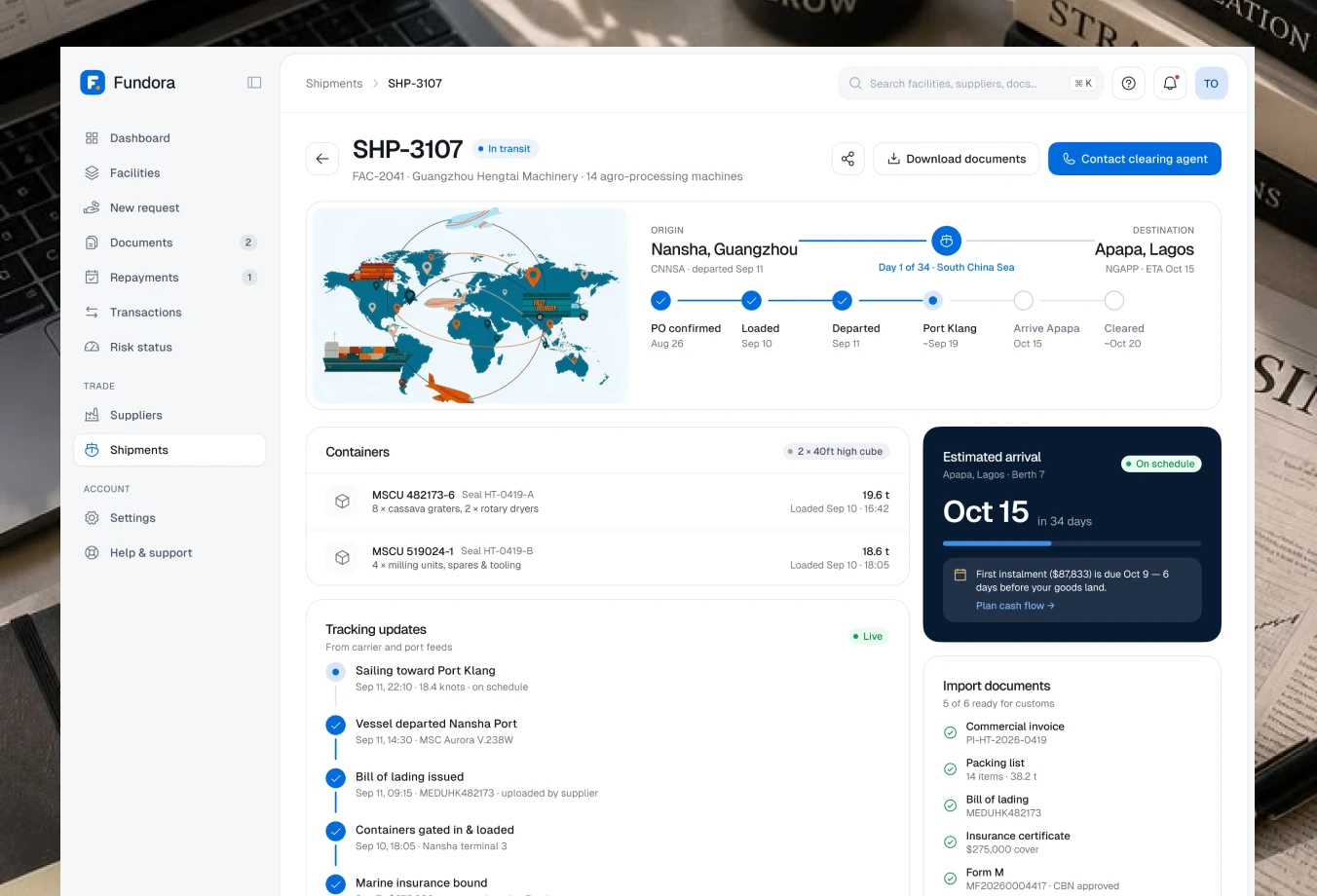
Shipments track each order from departure to arrival, with milestones and documents tied to the facility that funded it.
Settings & help
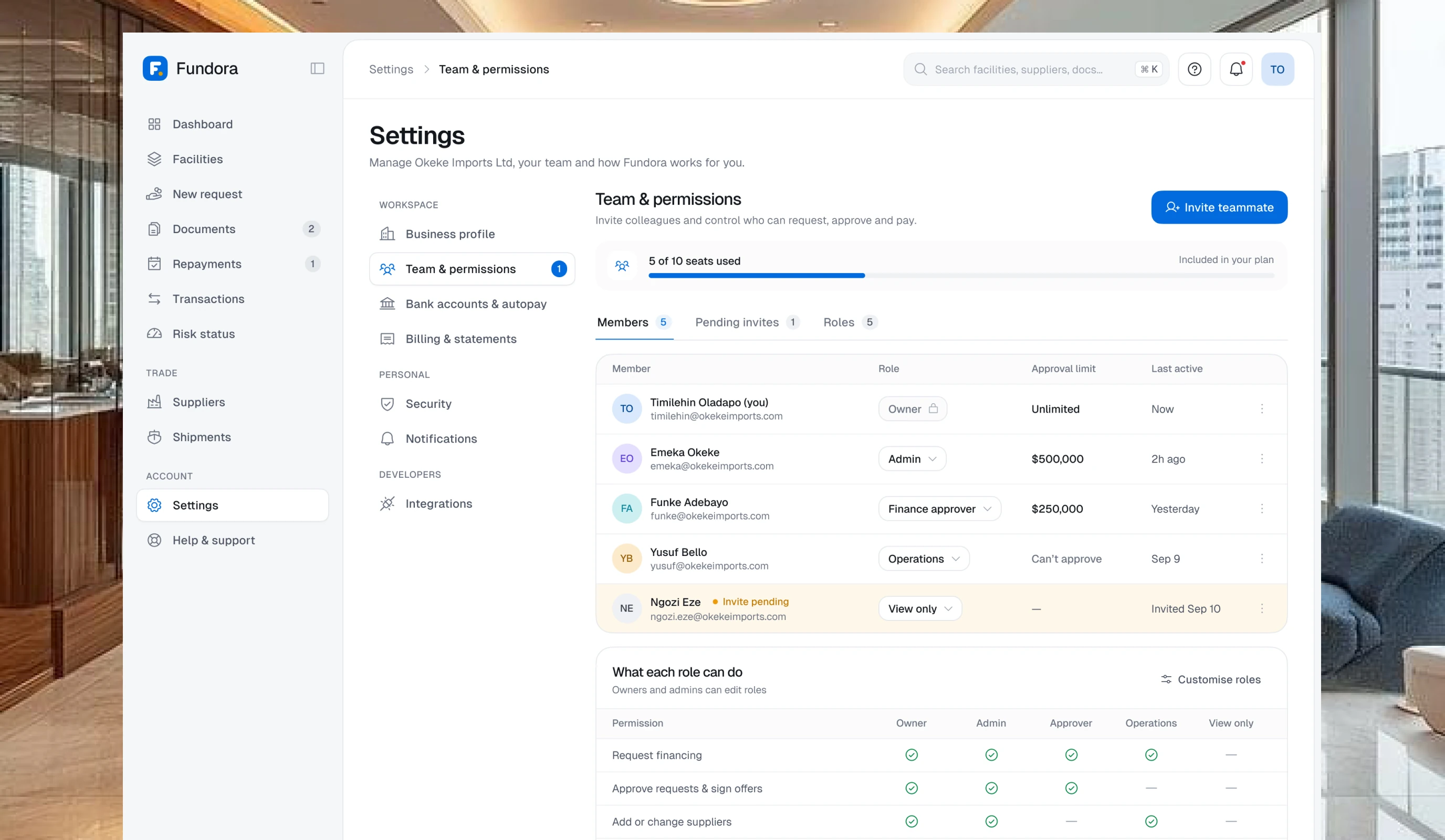
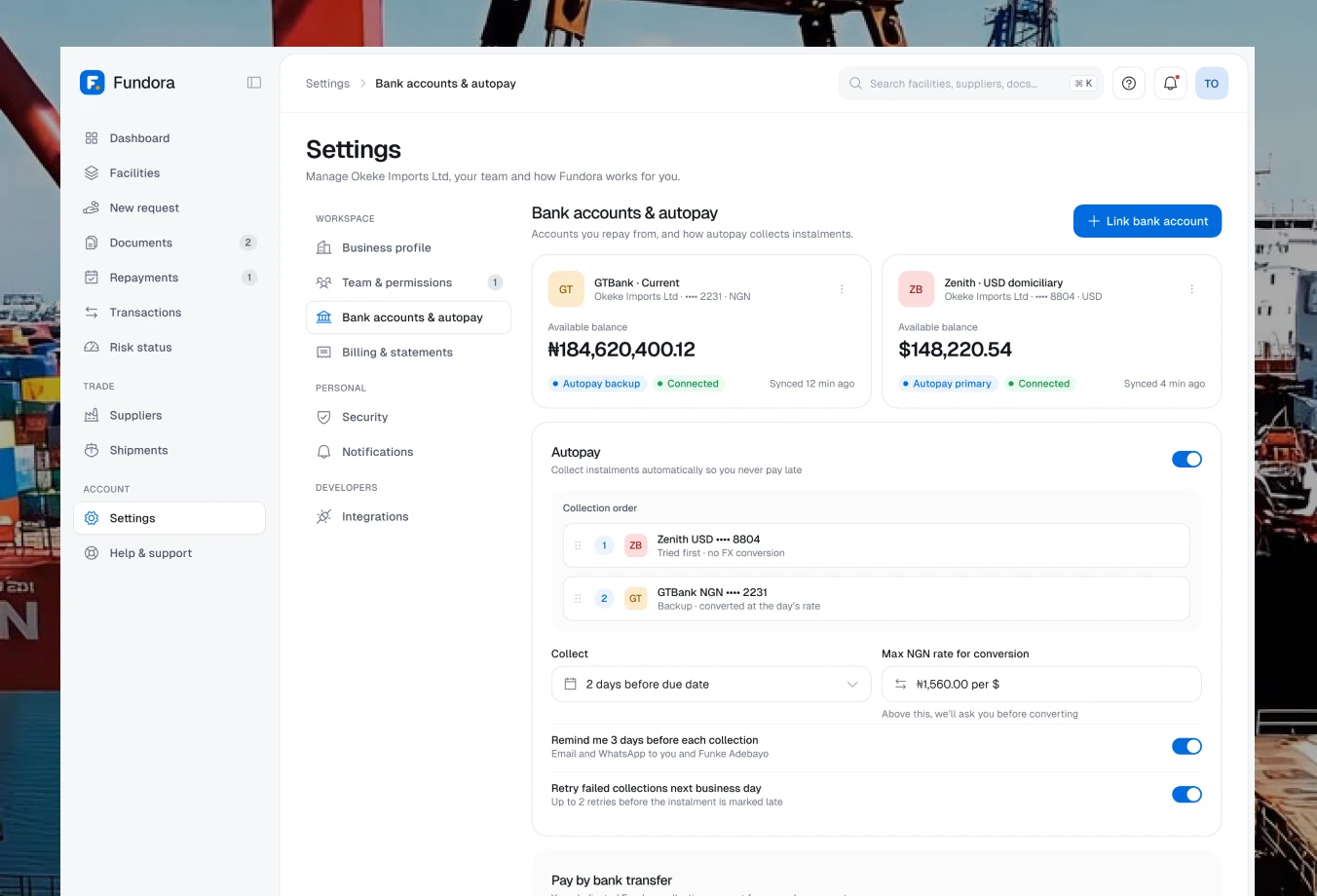
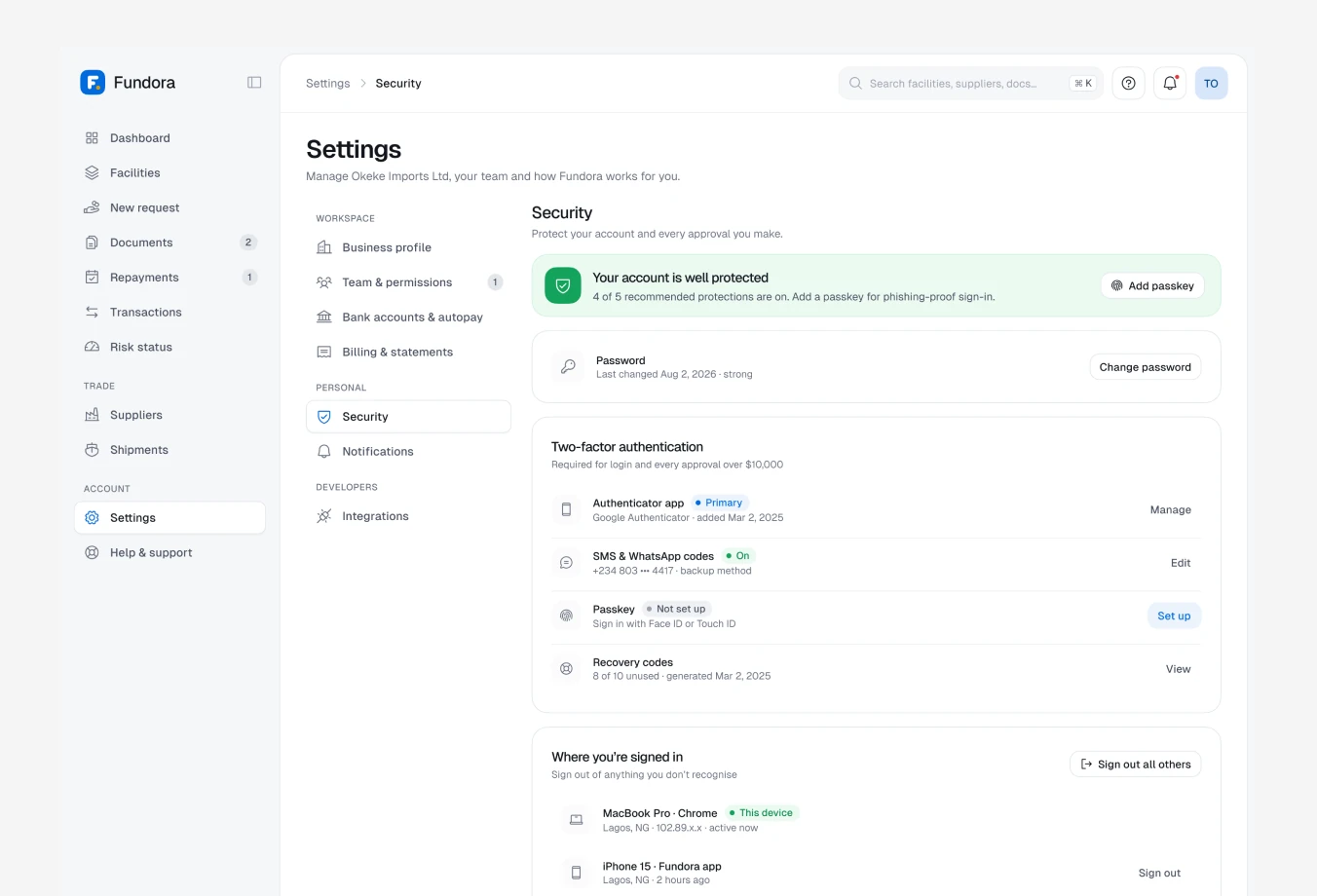
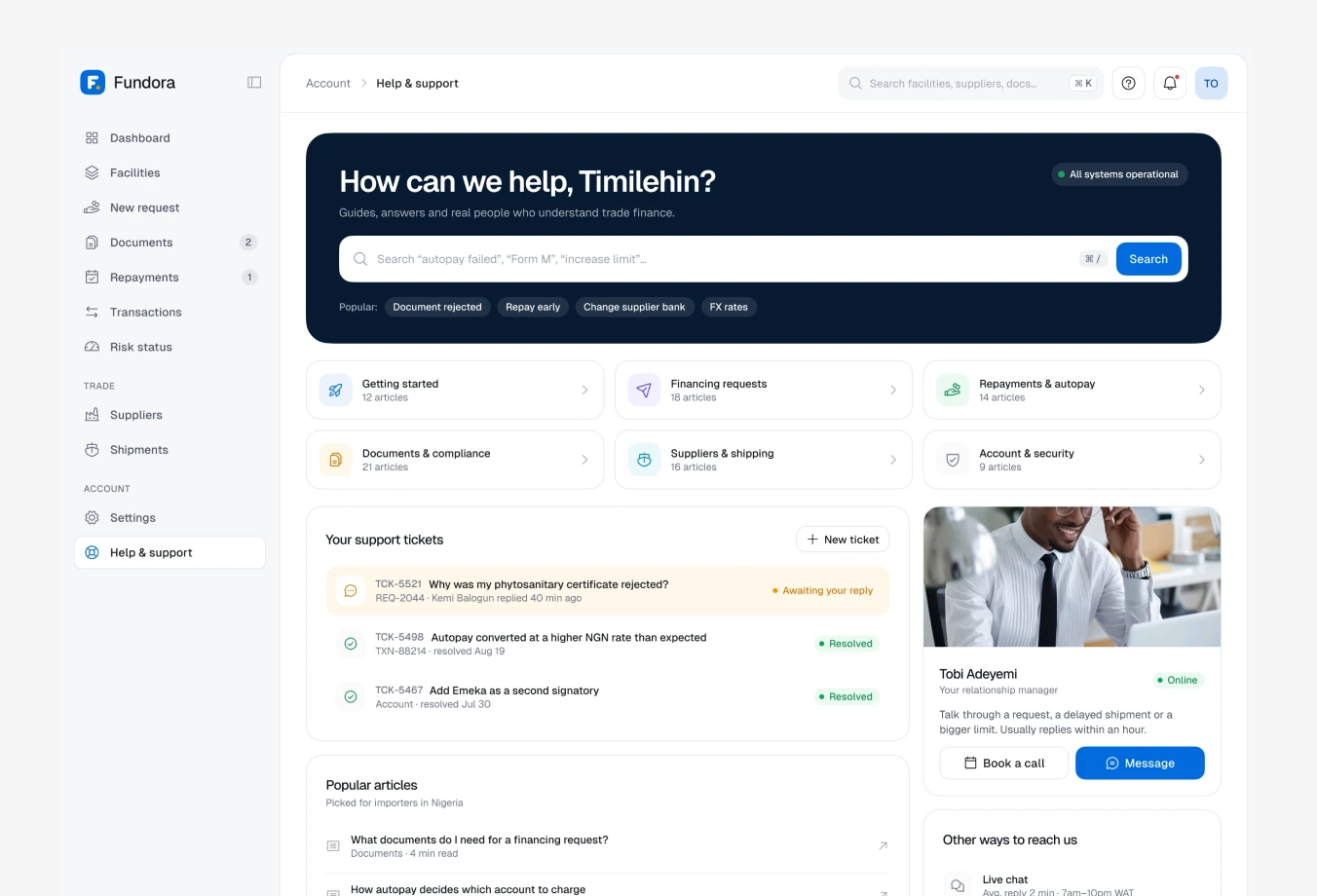
Account settings and support are built for finance teams that share responsibility, so control and help are always close by.
Team & permissions lets owners invite colleagues and assign roles, so approvals and payments stay with the right people.
Bank accounts & autopay keep repayment sources and schedules in one place.
Security settings cover two-factor authentication, active sessions and login activity.
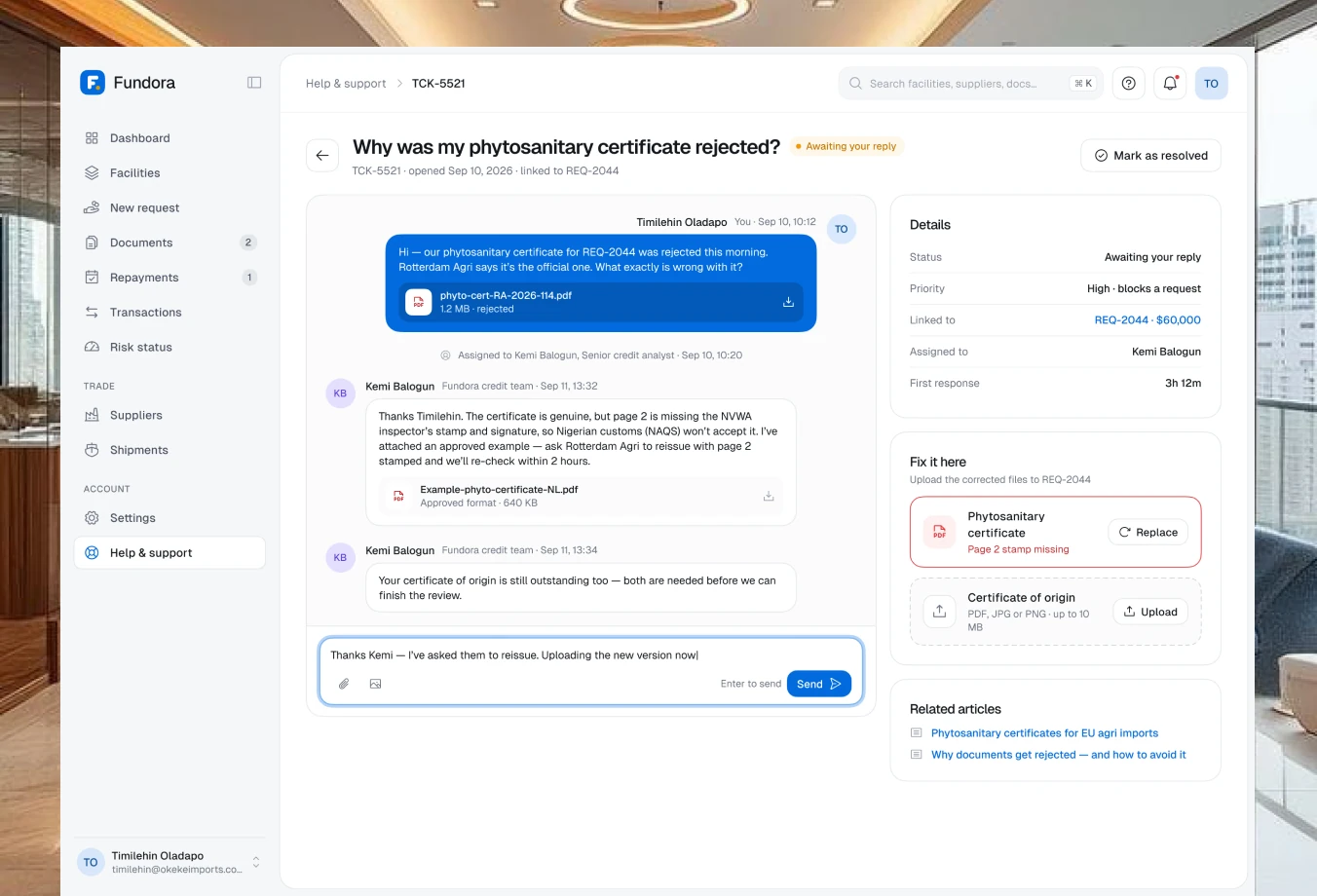
Help & support offers guides and a ticketing flow, so every issue has a clear status and history.
Dark mode, built into the system
Fundora’s design system is token-based, so every surface, text and status colour has a dark-mode counterpart. Switching themes is a token swap, not a redesign.
Semantic tokens for surfaces, text, borders and status colours map to light and dark values, keeping contrast accessible in both themes.
Charts, status pills and highlight cards were tuned so data stays readable on dark surfaces.
Key screens, including the dashboard, facilities and repayments, were previewed in dark mode to prove the system scales.
The outcome
Fundora was delivered as a complete web MVP: auth and onboarding, dashboard and facilities, the full request-to-disbursement flow, documents, repayments, risk status, credit limit, trade tools, account settings and a dark-mode preview, all built on one consistent design system.