SoulSync
A gentler, more human approach to mental wellness
Overview
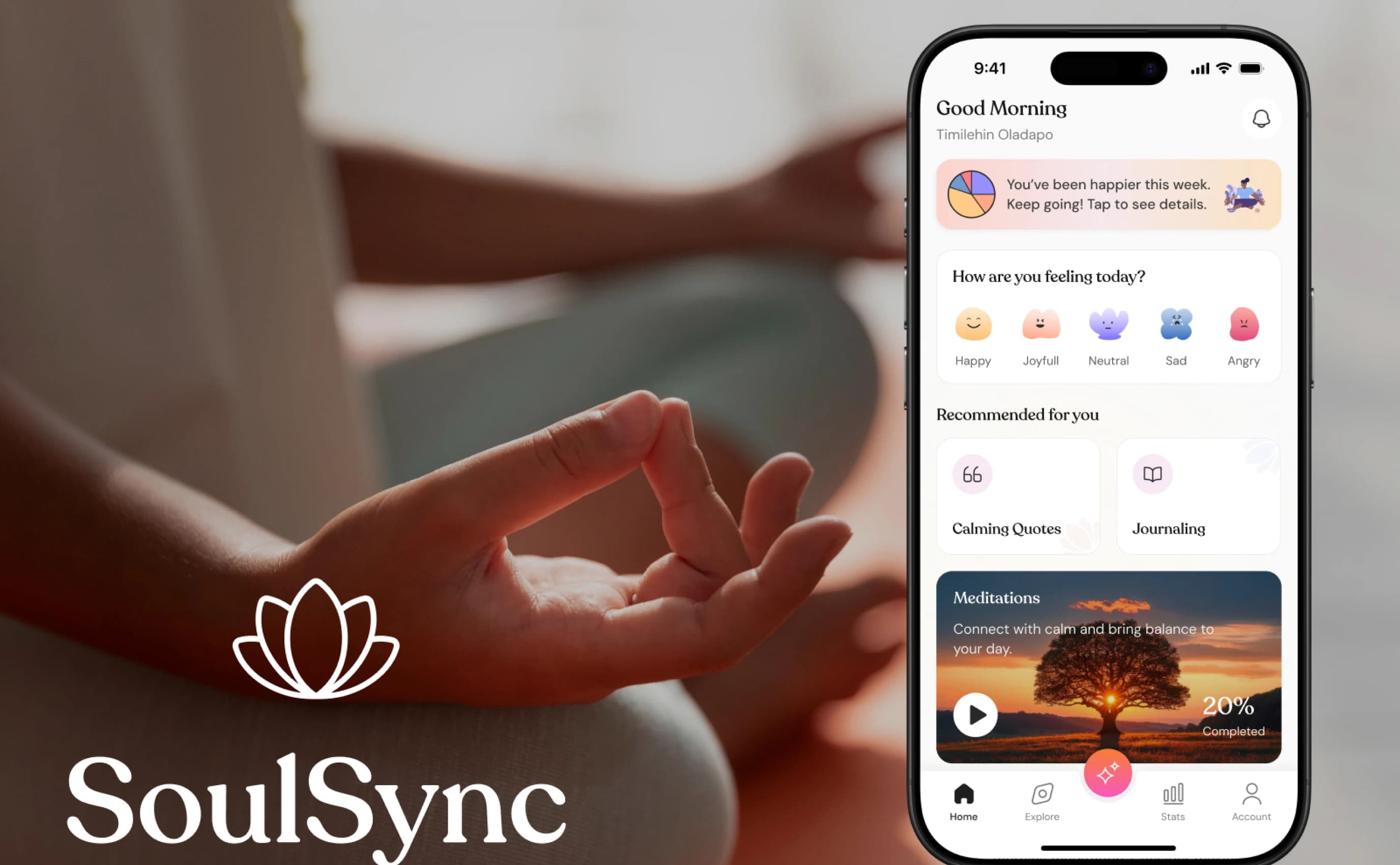
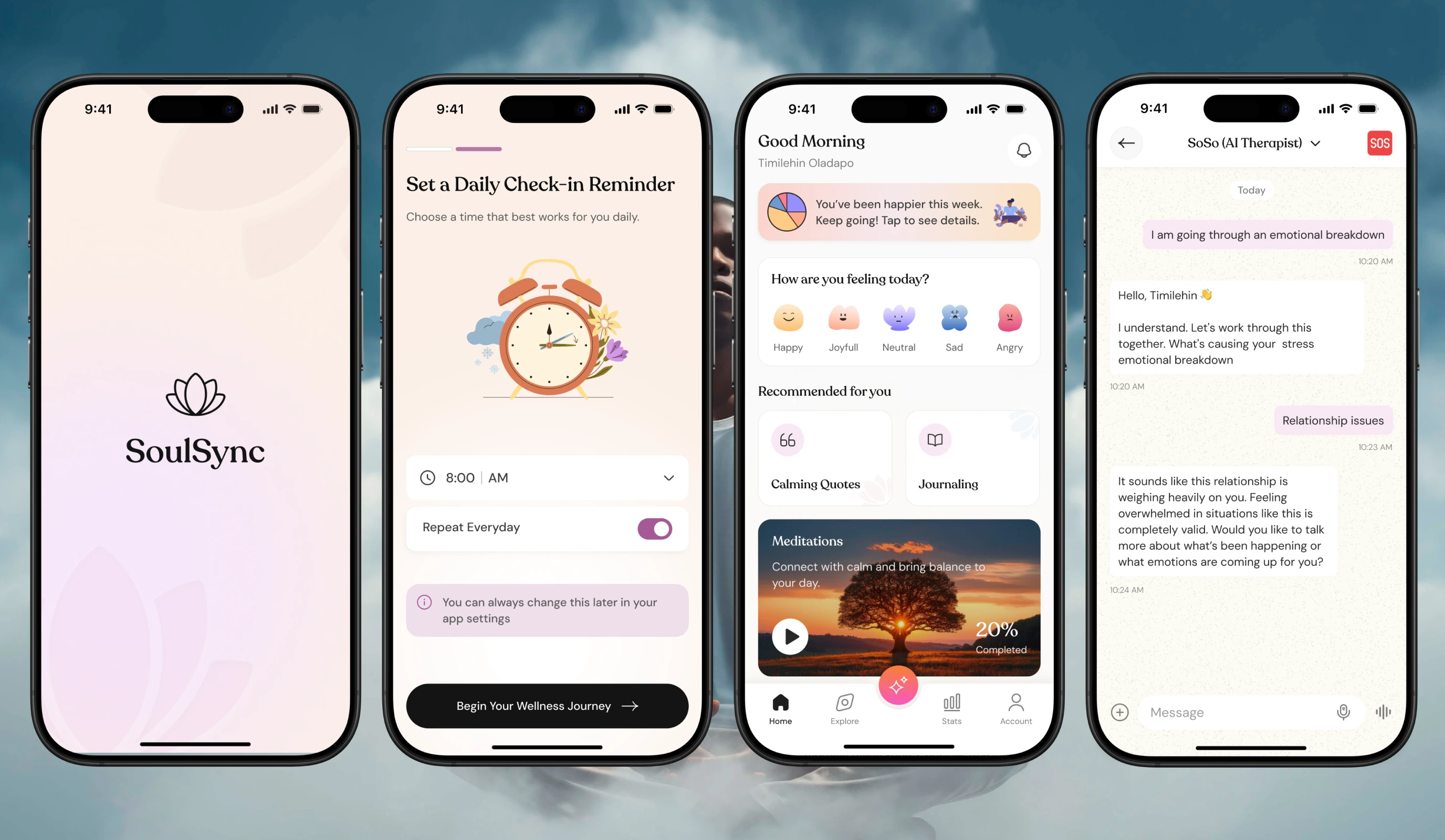
SoulSync brings a more human, emotionally aware approach to mental wellness. It blends gentle AI with empathetic design: daily mood check-ins, guided journaling and meditations, SoSo, an AI companion, and a one-tap SOS line to a real therapist when things get heavy. I was the sole product designer, owning strategy, flows, UI, prototyping and microcopy.
Role
Sole Product Designer
Type
Mobile app · B2C
Industry
Mental health & wellness
Year
2025
Scope
Research, UX, UI, Prototyping, Microcopy
The challenge
Most wellness apps feel either clinical or chaotic. People who are struggling need something that feels safe the moment it opens, and help that is a single tap away when things get hard. The challenge was to make daily check-ins feel effortless, while keeping a real therapist within reach.
Visual language
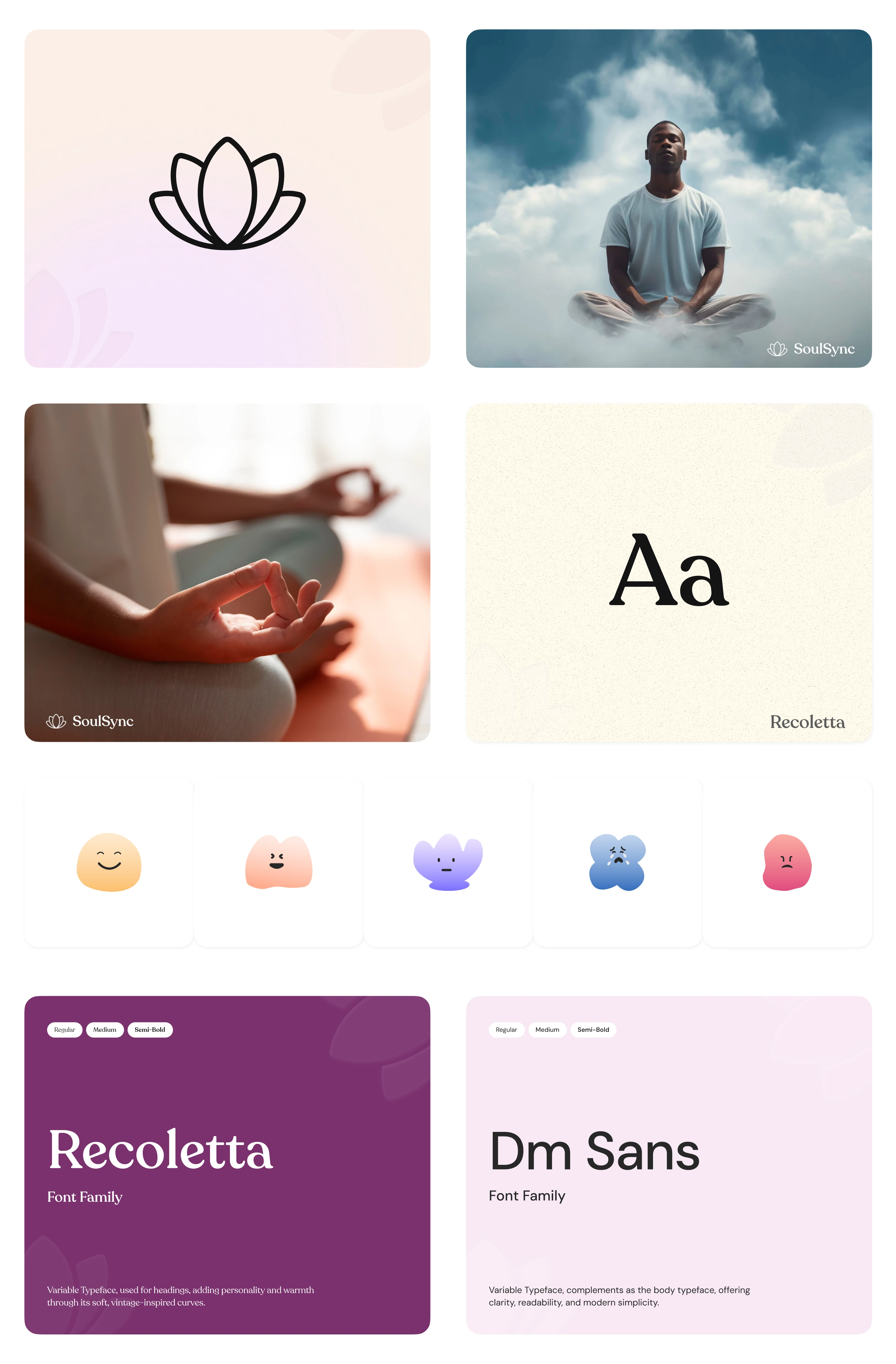
Every element, from the colour palette to the typography, was chosen to create a safe and soothing space. Recoleta brings warmth and personality to headlines, while DM Sans keeps the interface clear. Soft, character-like mood emojis make it easier to name a feeling.
Deep Plum
#A65997
Blush Pink
#EDD0E7
Rose Mist
#F8E9F5
Light Snow
#FAFAFA
Soft Ivory
#FEF9EB
Peach Glow
#FBEFE7
Slate Gray
#3C3C3C
Charcoal
#141414
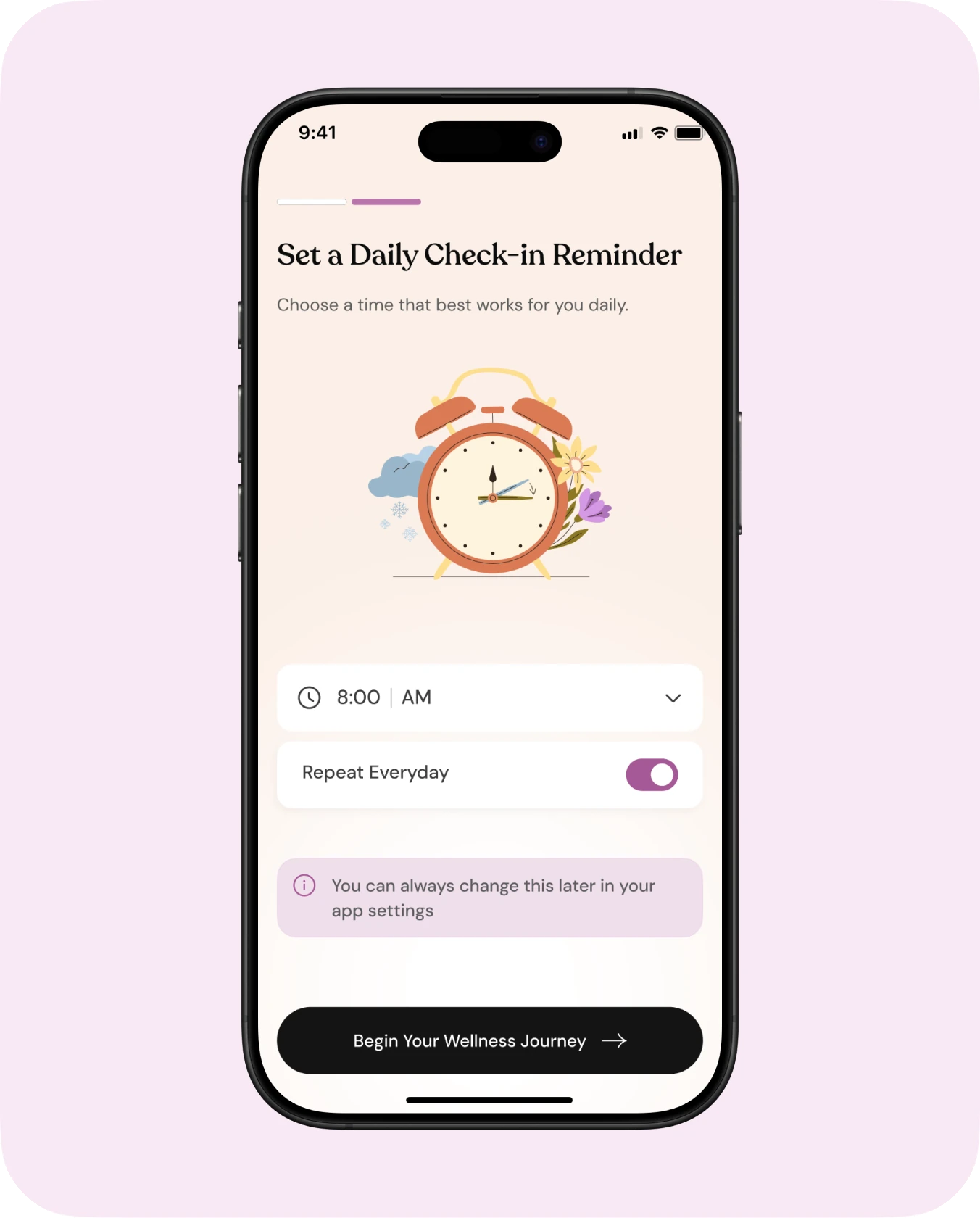
Onboarding & sign up
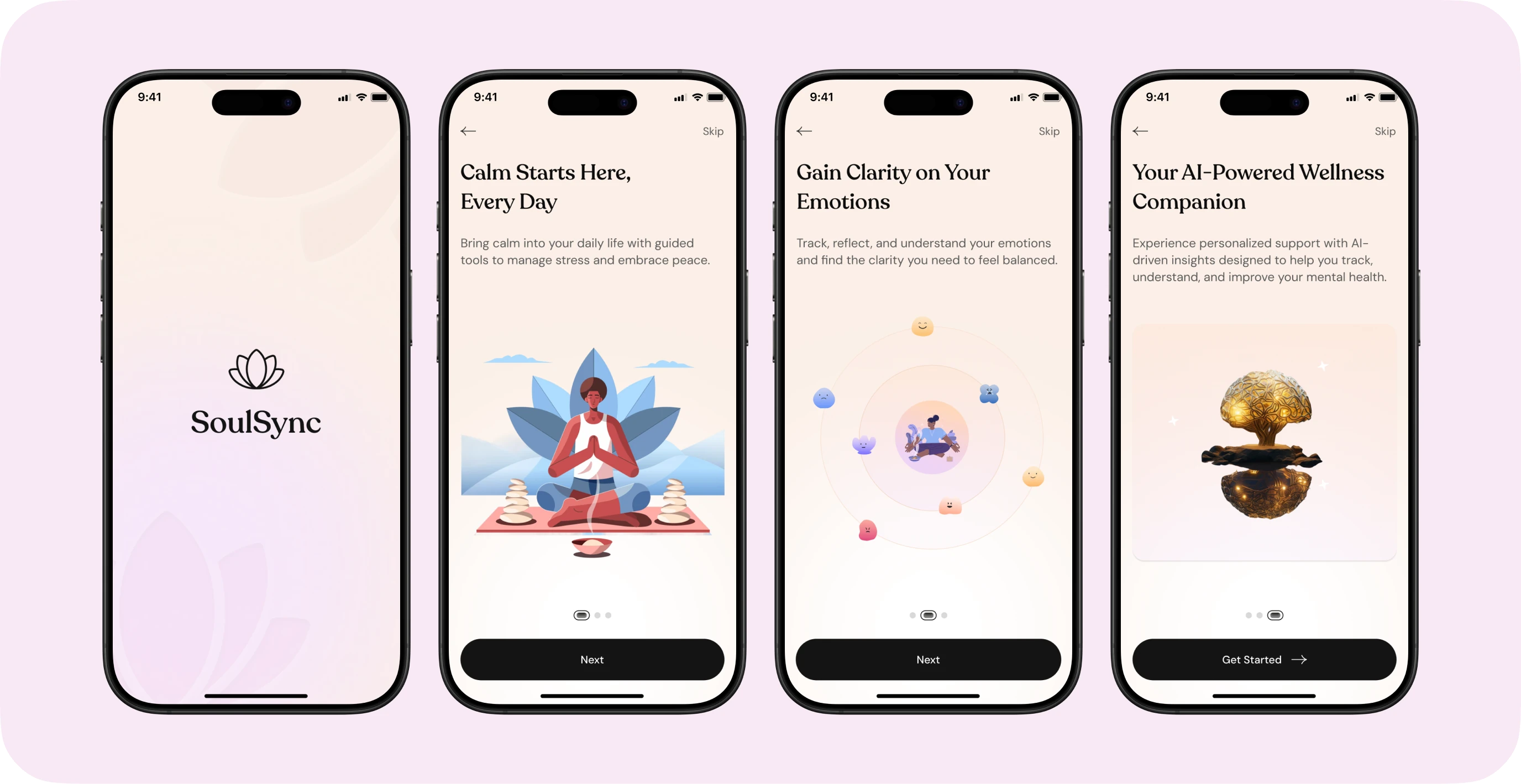
Onboarding introduces SoulSync in three calm screens, one promise each, before asking for anything.
Soft blush gradients and the lotus mark signal calm before a single word is read.
Sign-up is framed as creating “your safe space”, with Google and Apple options to keep it effortless.
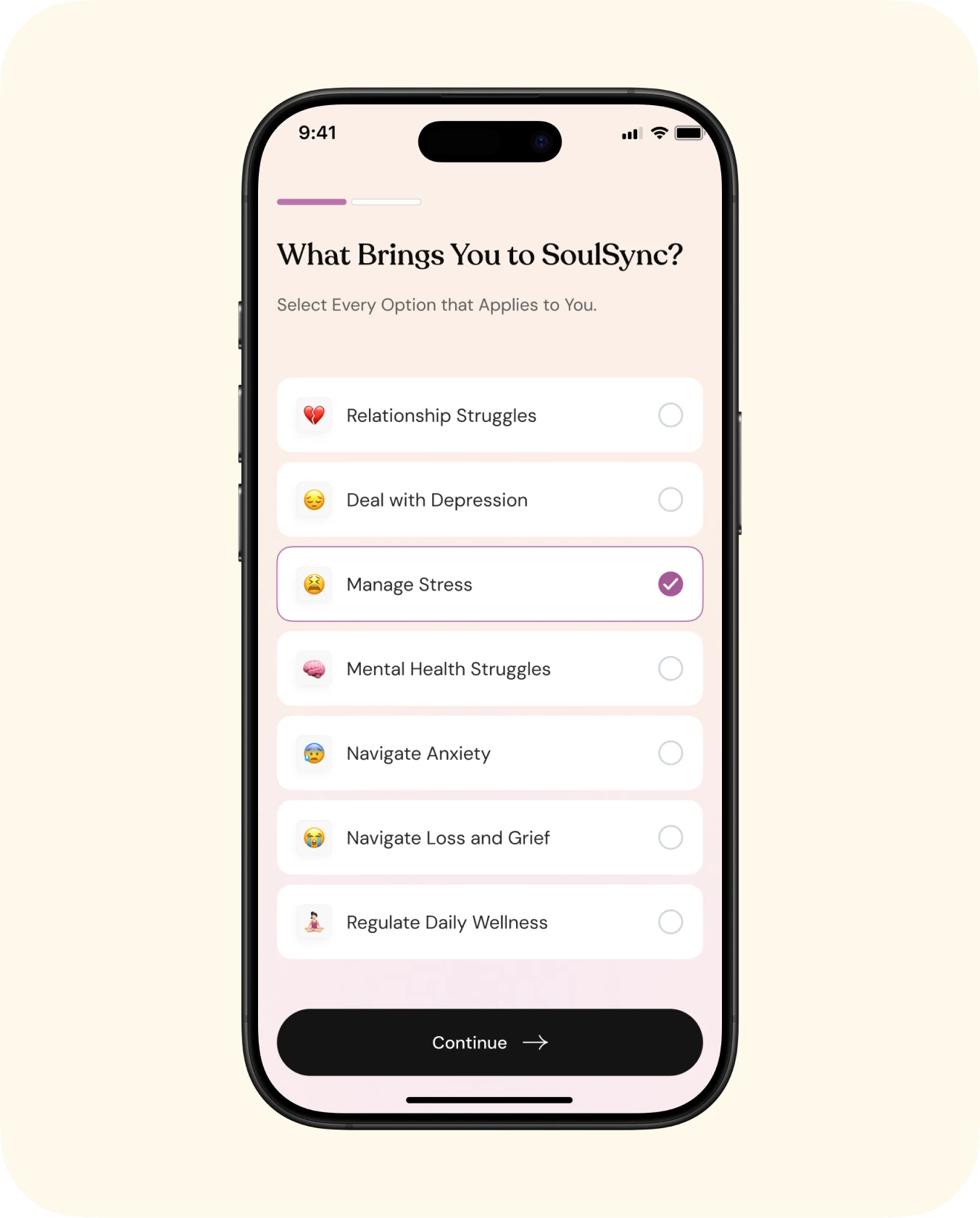
A short questionnaire and a daily check-in reminder personalise the experience from day one.
Home & mood logging
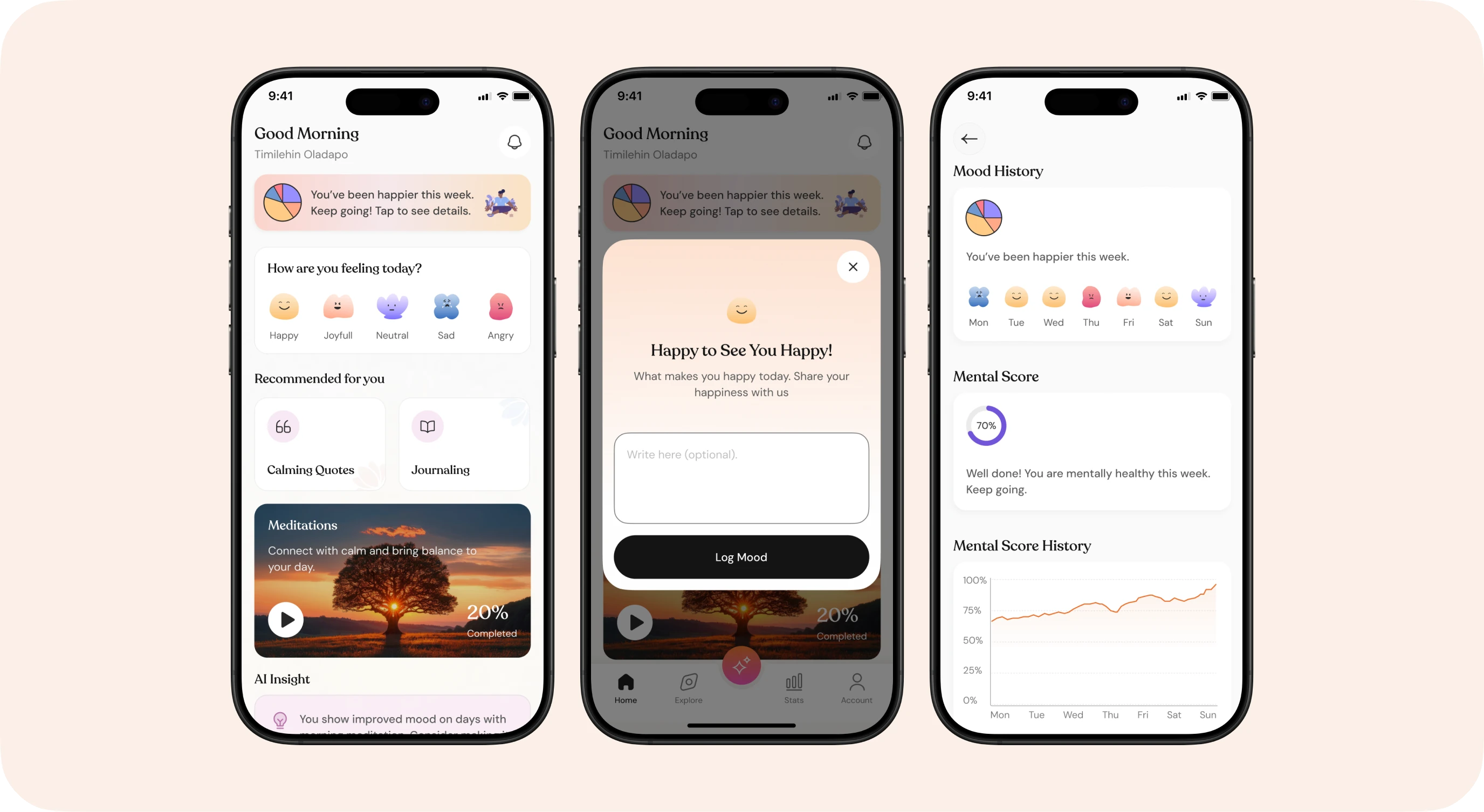
The home screen puts the daily check-in front and centre, then surfaces gentle recommendations based on how the user feels.
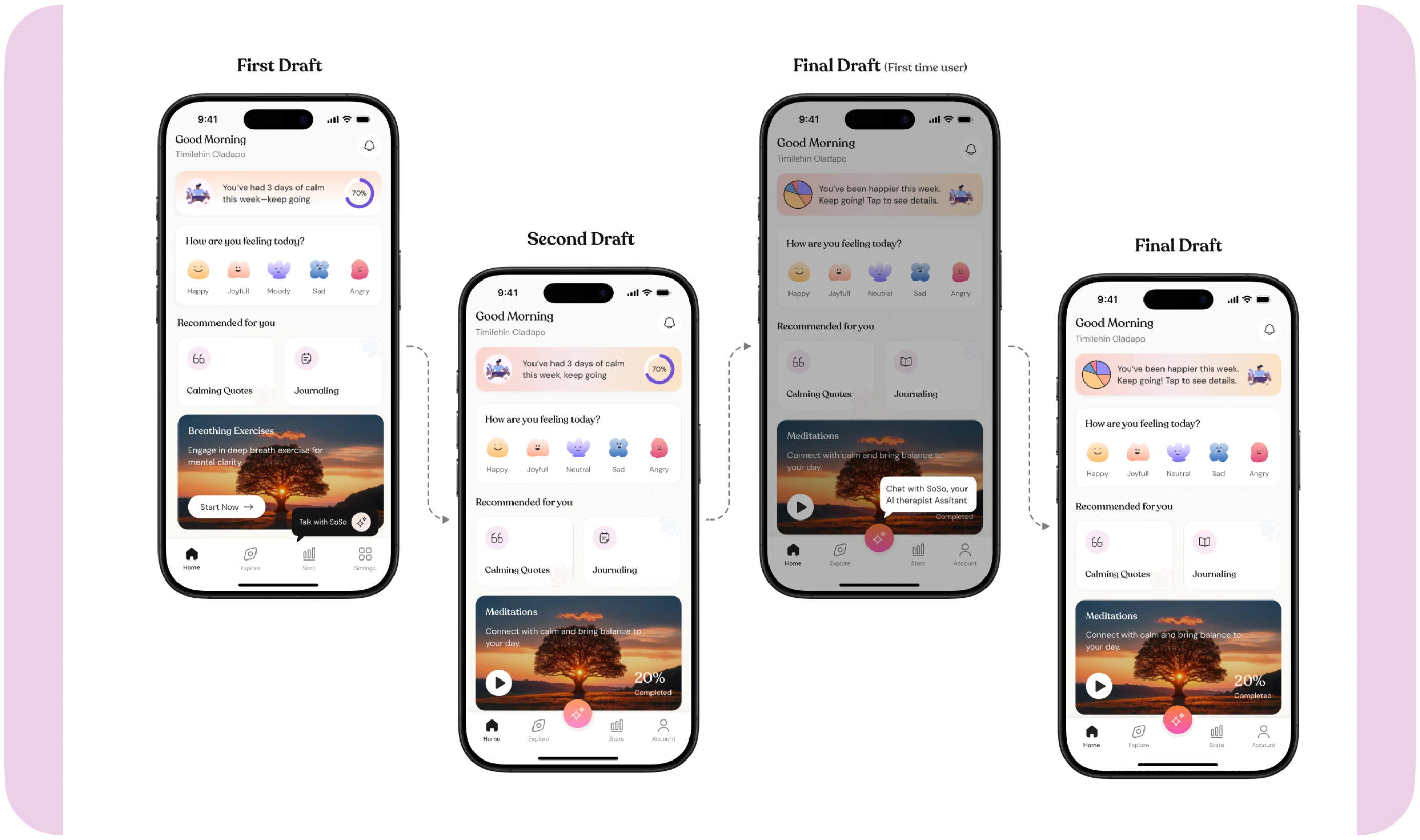
A weekly insight banner turns mood data into encouragement: “You’ve been happier this week.”
Moods are soft, character-like emojis, so naming a feeling feels approachable, not clinical.
Logging a mood opens a validating pop-up and an optional note, then feeds the mood history.
SoSo, your AI therapist
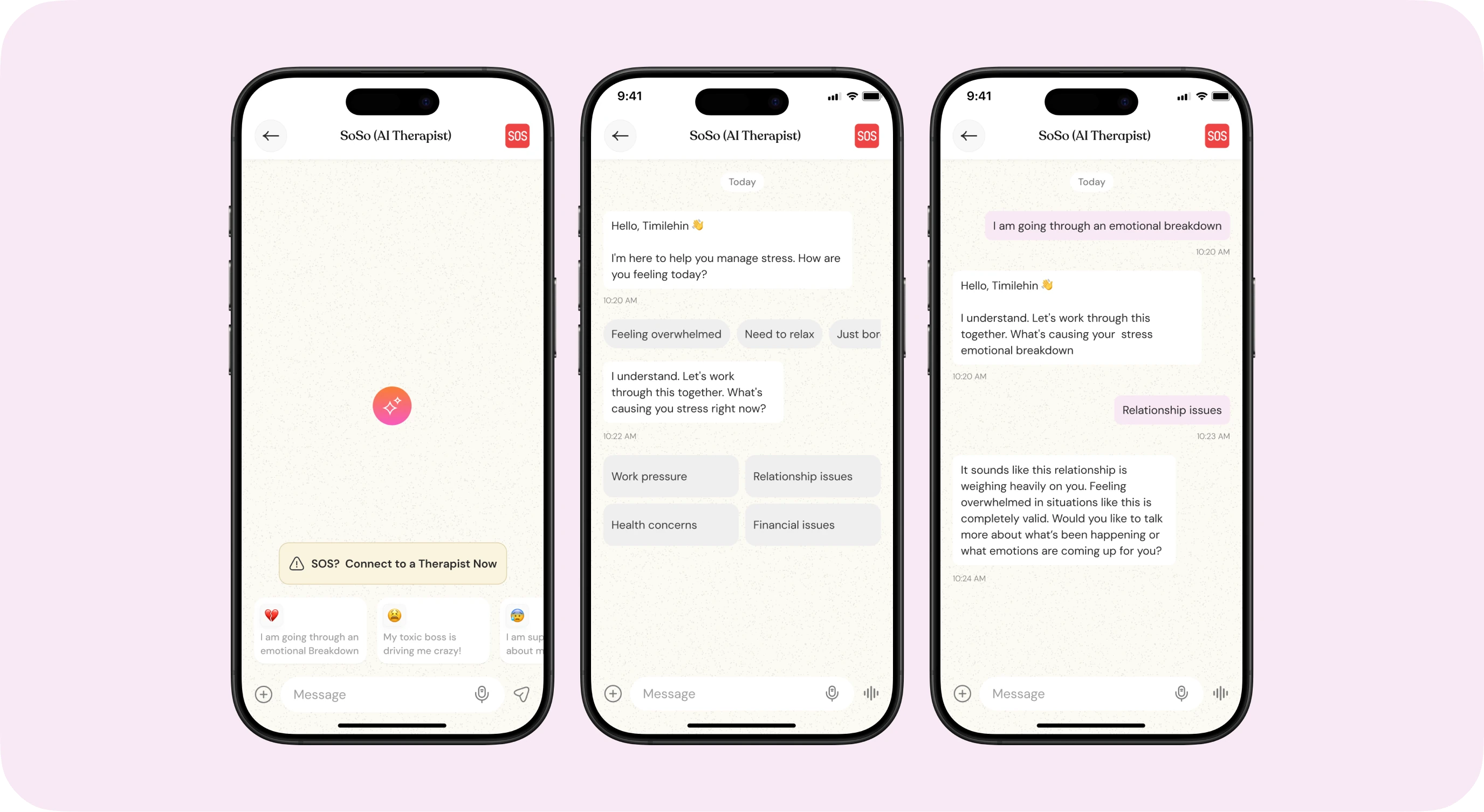
SoSo lives in the centre of the navigation, so support is always one tap away, day or night.
Suggested prompts like “Feeling overwhelmed” lower the barrier to starting a conversation.
Responses validate the feeling first, then ask gentle follow-up questions.
The SOS badge stays visible in the chat header, in case a conversation becomes too heavy.
SOS emergency support
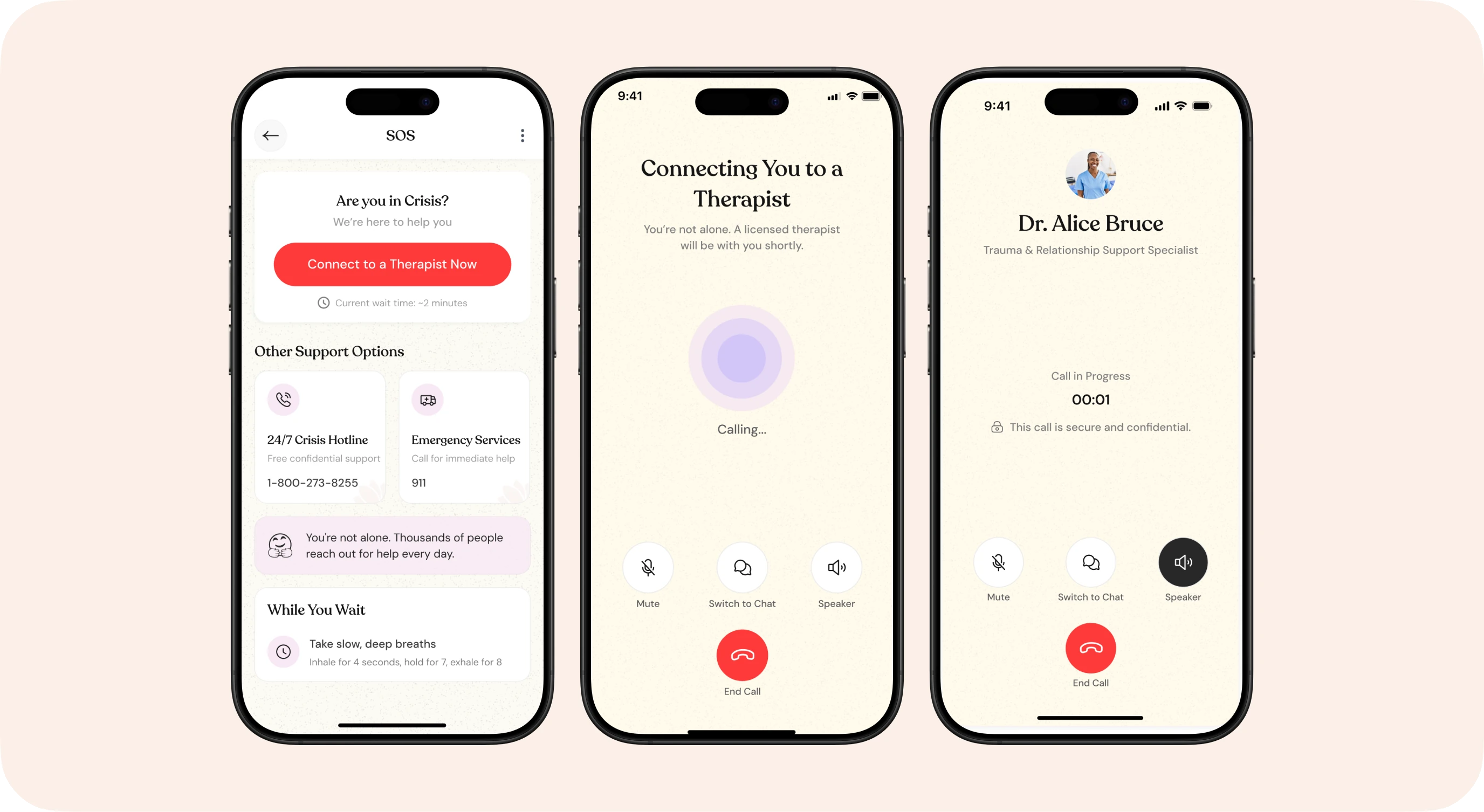
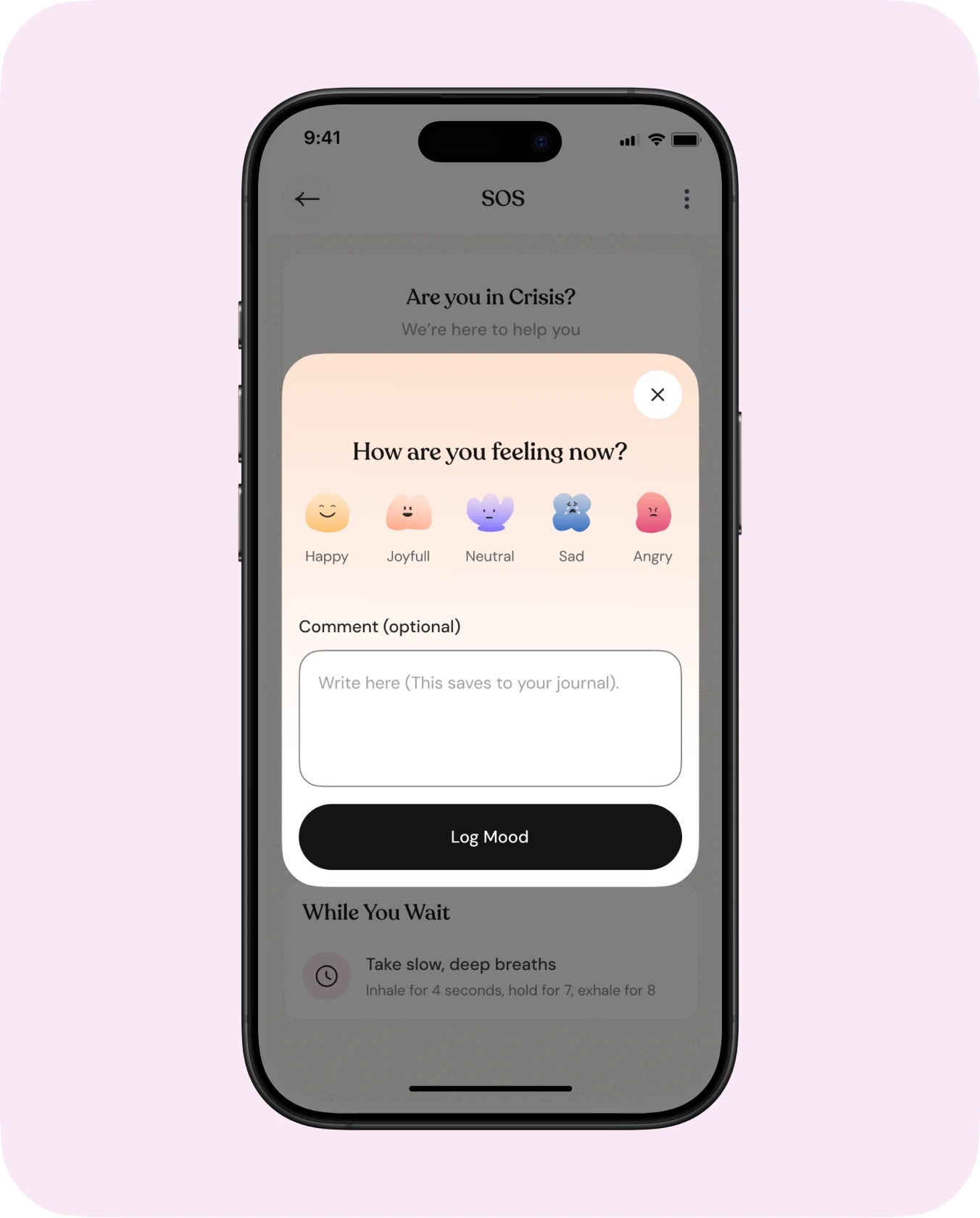
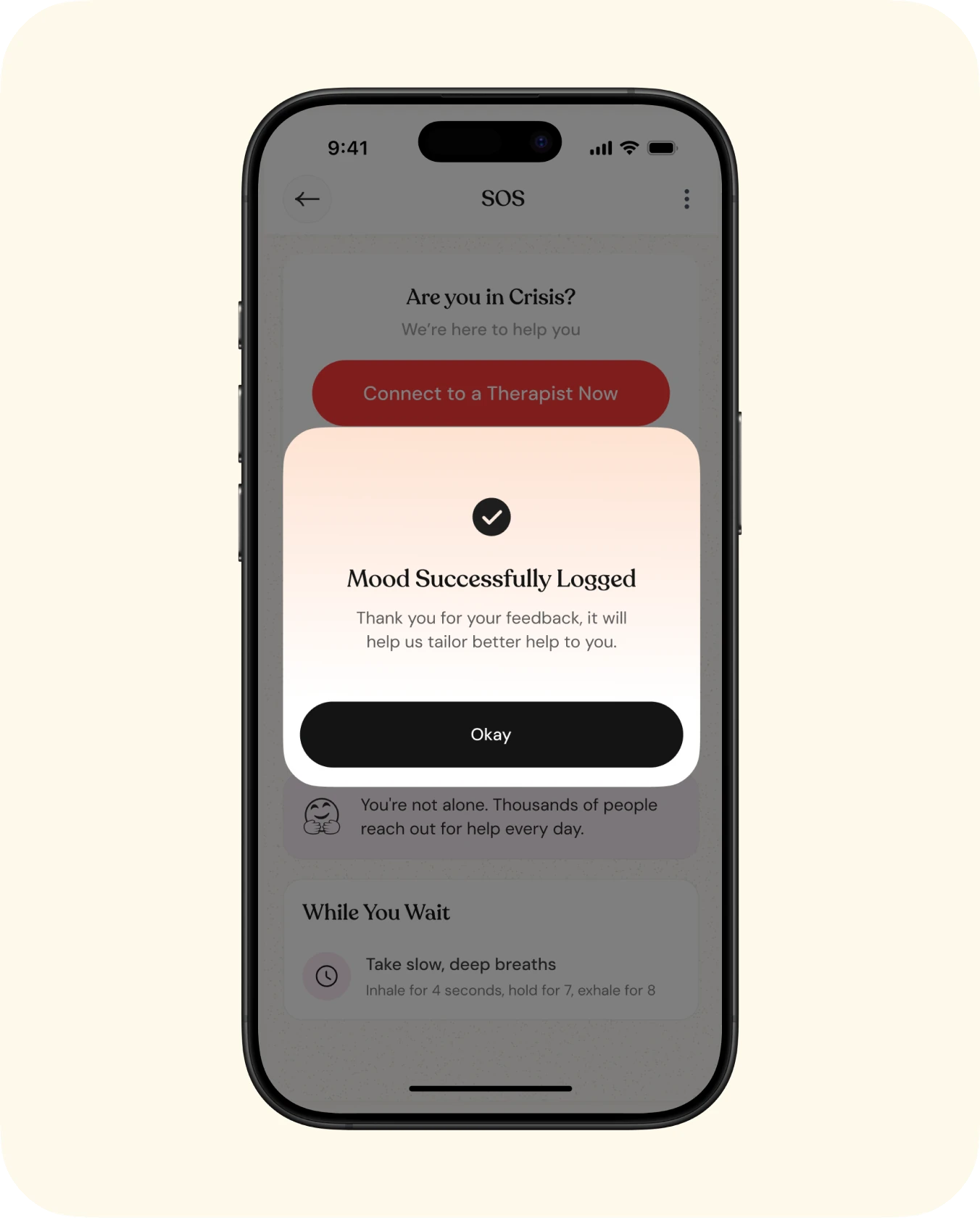
When things feel heavy, the SOS flow connects users to a real therapist in a few taps, with calm reassurance at every step.
“Connect to a therapist now” leads, with the 24/7 crisis hotline and emergency services as clear alternatives.
While waiting, a “You’re not alone” message and a breathing exercise keep people grounded.
After the call, a “How are you feeling now?” check-in closes the session and logs the mood.
Journaling
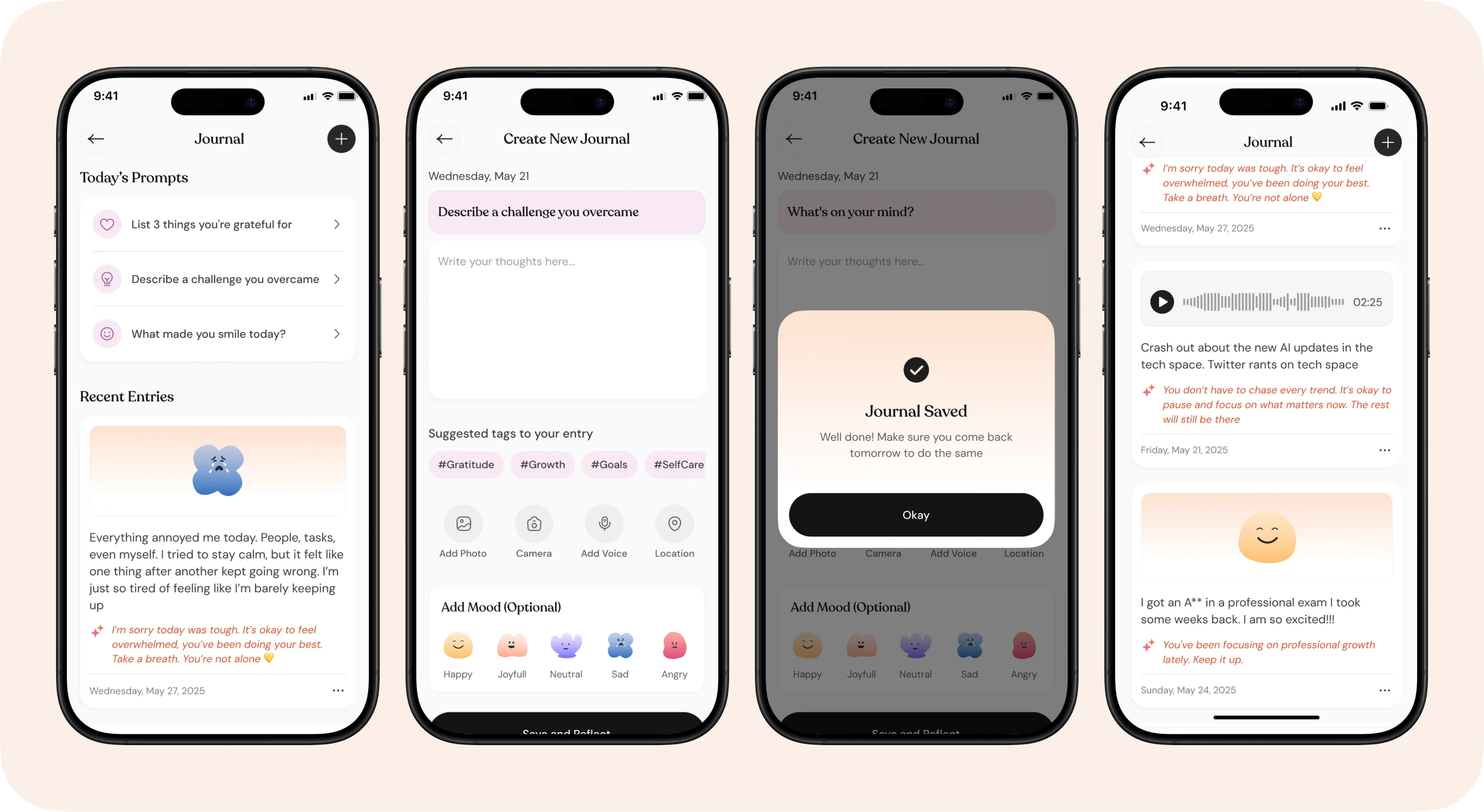
Journaling starts from a gentle daily prompt, so a blank page never gets in the way.
Prompts rotate daily, from gratitude to reflection.
Voice notes and images were added after testing showed typing alone felt restrictive.
Choosing a mood is optional, so journaling never feels like a form.
Calming quotes & meditations
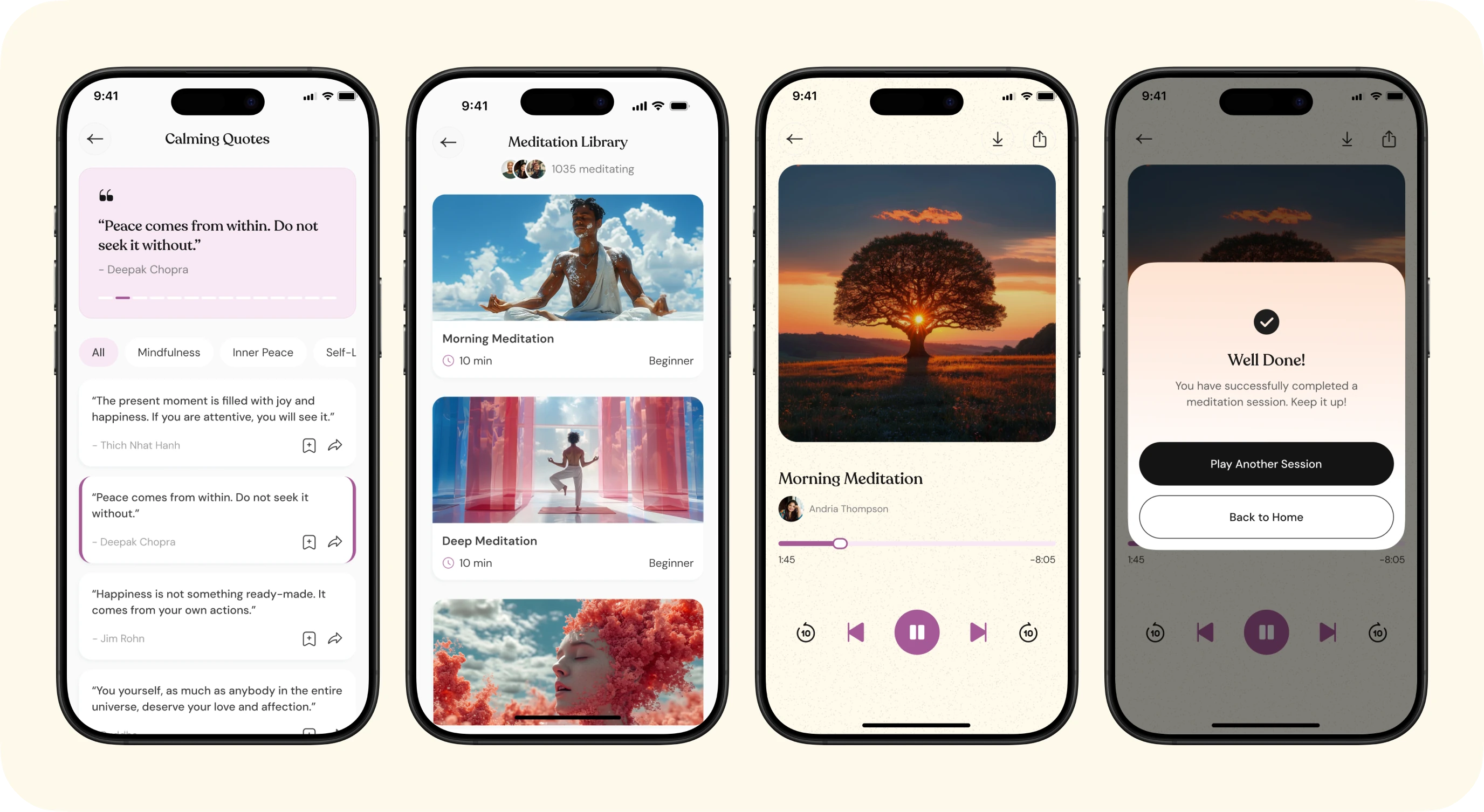
Short rituals that fit into a busy day, without ever feeling like homework.
Calming quotes can be saved and revisited when they are needed most.
Meditations are grouped by need, with progress shown on each one.
Every session ends with a calm completion moment.
Account & AI assistance level
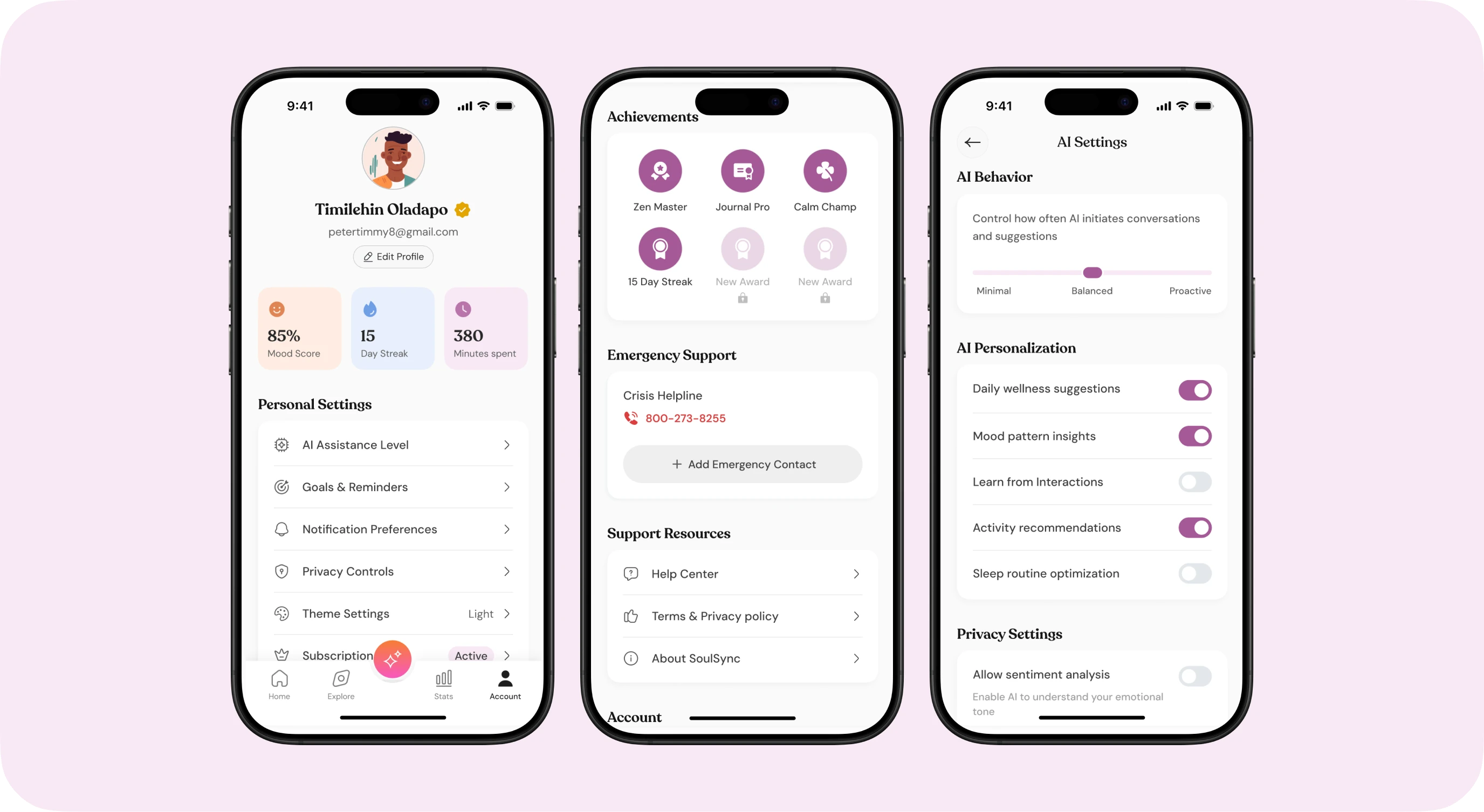
The Account screen is a calm, organised home for progress and preferences, while the AI Assistance Level puts users in control of how present SoSo is in their day.
A progress overview (mood score, streak and minutes spent) shows how far someone has come at a glance, with a check mark confirming an active subscription.
Goals, AI assistance level and notification preferences are grouped together, with achievements, emergency support and resources close by.
AI behaviour runs from minimal to proactive, with personalisation and privacy toggles, so SoSo meets people where they are emotionally and earns their trust.
Statistics & explore
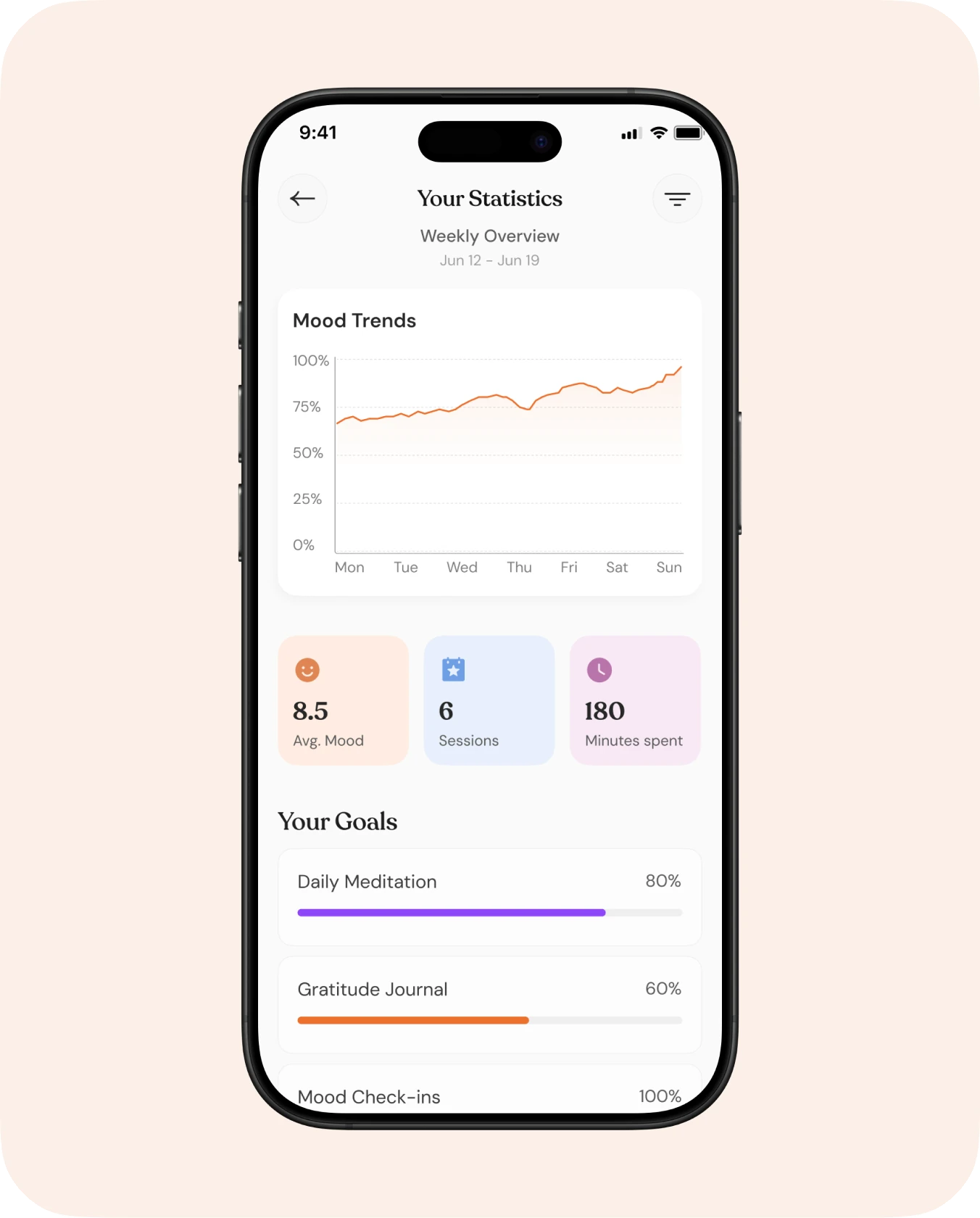
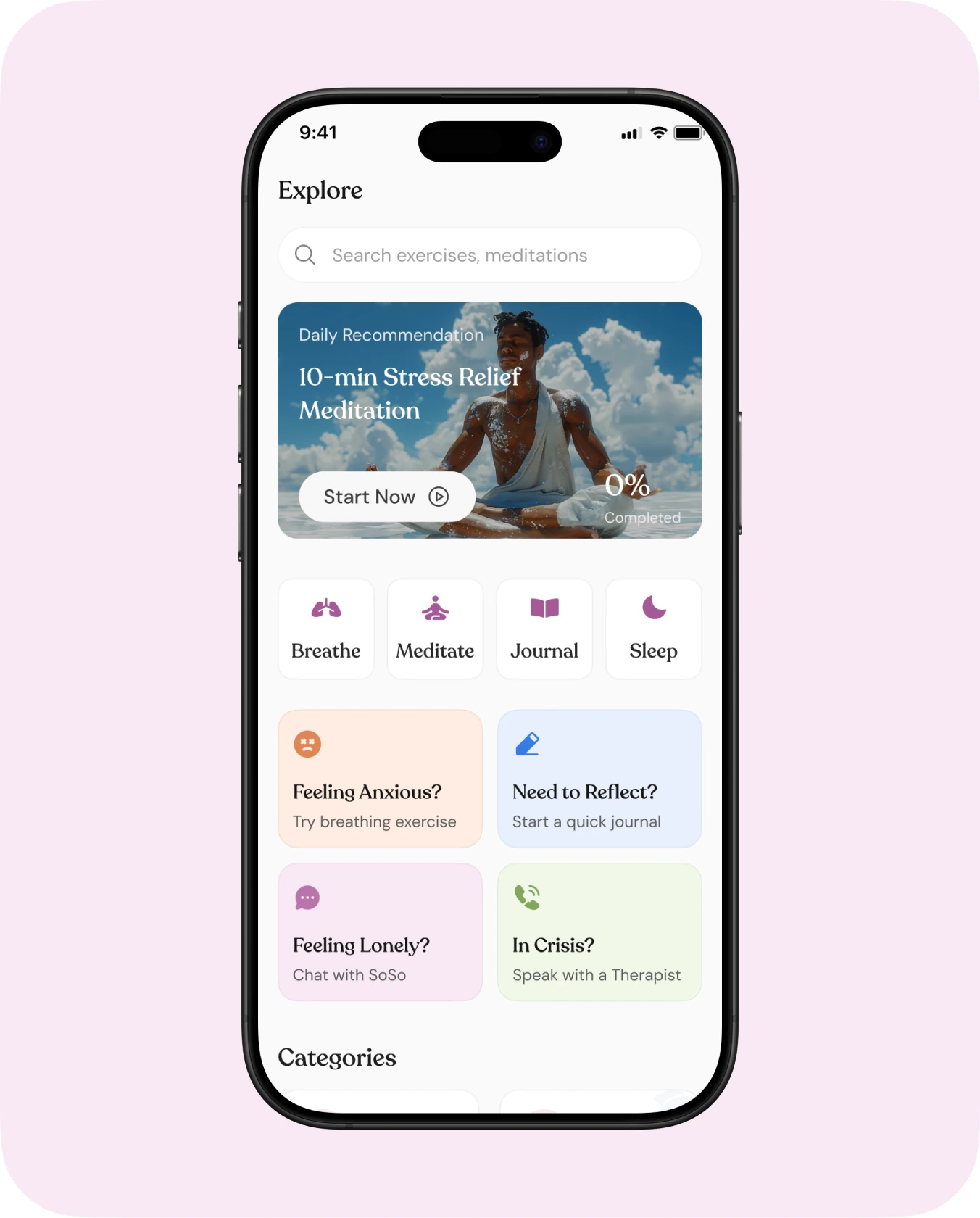
Seeing progress builds confidence, and Explore makes it easy to find the right support at the right moment.
Statistics use soft hues, simple labels and weekly summary statements, so no one has to read graphs alone.
Explore groups tools into Breathe, Meditate, Journal and Sleep, with quick paths like “Is it crisis?”.
Subscription
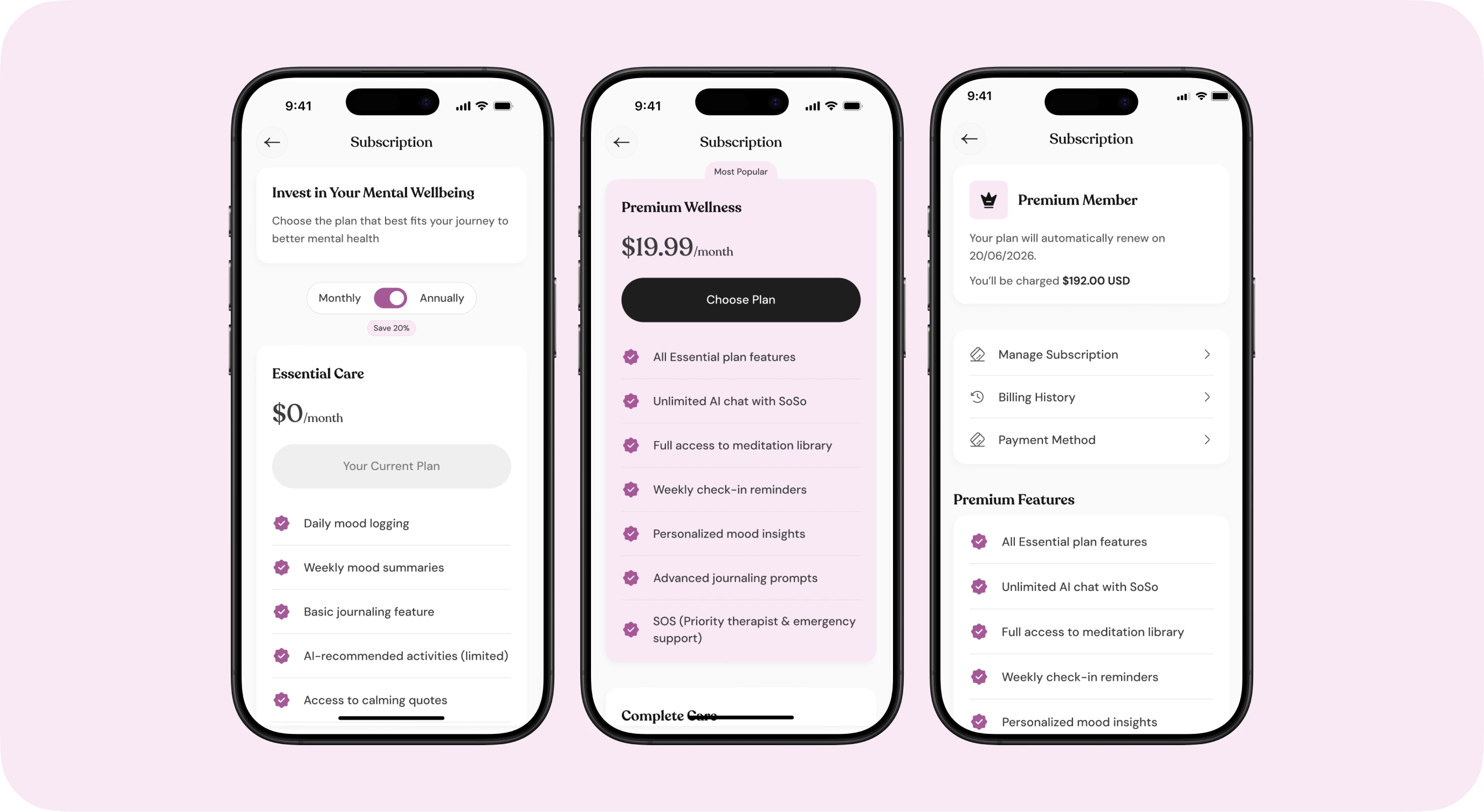
Upgrading is framed as an investment in wellbeing, never a paywall. The free Essential Care plan stays genuinely useful, SOS calls with therapists included, so support never depends on payment.
Plans are compared feature by feature, with a monthly or annual toggle and a clear “Save 20%” on annual billing.
Premium Wellness is marked “Most popular” and unlocks unlimited SoSo chat, the full meditation library and priority therapist support.
Once active, the plan page confirms the renewal date and amount, with subscription, billing history and payment method one tap away.
Usability testing & iteration
I ran remote usability sessions with a diverse group of users across different emotional states. Each finding led to a concrete change.
Navigation clarity
Some users missed the AI assistant in the centre nav. A stronger gradient icon and a subtle first-time prompt fixed it.
SOS visibility
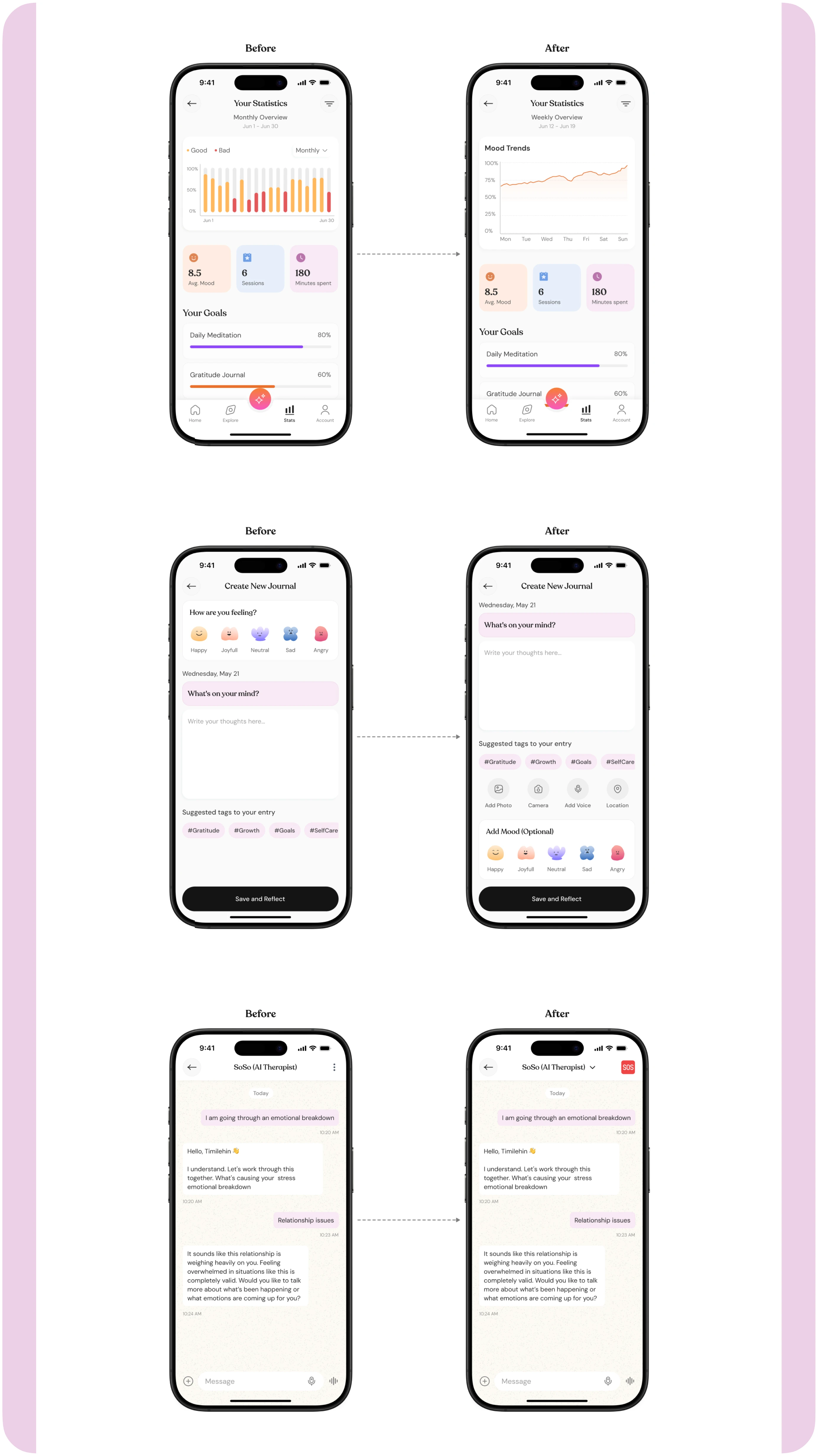
The SOS option was missed in distress. It is now persistent across chat screens with a soft red highlight.
Journaling felt restrictive
Added optional voice notes and image uploads, and made mood selection non-mandatory.
Calls felt incomplete
Added a post-call “How are you feeling now?” prompt with an invitation to journal.
Graphs were hard to read
Redesigned charts with softer hues, simpler labels and weekly summary statements.
Impact
Designing SoulSync reinforced that thoughtful design goes beyond usability, it shapes how people feel. Early testing showed users felt seen, less alone, and more willing to engage with their emotions regularly. The product does not just help people track moods or access support; it offers comfort, clarity and connection.
Tone is a feature
Small choices in colour, copy and pacing deeply shape how a wellness product feels.
AI needs tuning
Helpful AI takes constant tuning of tone, timing and interaction patterns.
Choice is inclusive
Letting users type, speak or skip makes the product work for more people.